How to Prepare for a Video Interview at Home: The Full Setup
The email arrives: “We’d like to invite you to a video interview.” Your stomach does a small flip. On one hand, no commute, no parking garage, no waiting room. On the other hand, a whole new category of things to worry about — the Wi-Fi, the lighting, the mysterious art on the wall behind you, the cat who always chooses the worst moment. Video interviews are now a permanent fixture of American hiring, and candidates who treat them as “easier” versions of in-person interviews consistently underperform.
A great video interview is a production: you are the talent, the set designer, and the IT department. This guide covers the technical setup, the environment, and the performance techniques that make you look and sound like the obvious hire through a screen.
The Technical Foundation: Non-Negotiable Setup
Technical failures are the fastest way to lose an interviewer’s confidence before you say a word. Handle these at least a day before:
Platform familiarity. Confirm which platform they use — Zoom, Teams, Google Meet, Webex — and install it, update it, and do a test call. Know where the mute button, camera toggle, and screen-share controls are without thinking. Create an account in advance if needed, with a professional username.
Internet stability. Run a speed test; you want at least 10 Mbps up and down for smooth video. If your Wi-Fi is flaky, plug in with an ethernet cable — this single change eliminates the most common video interview disaster. Close bandwidth hogs: cloud backups, streaming, other devices on video calls.
Audio quality. Bad audio sinks interviews faster than bad video. Wired earbuds with a mic beat laptop speakers in every test; a basic USB headset is even better. Test your mic level — too quiet forces the interviewer to strain, too hot distorts. Have a phone-with-earbuds backup ready in case your primary audio fails.
Power and backups. Plug in your laptop. Keep your phone charged as a backup connection. Have the interviewer’s phone number or email handy in case you need to switch to a call mid-interview. The Society for Human Resource Management (SHRM) notes that technical preparedness is now explicitly evaluated as a proxy for professional competence in remote-friendly roles.
Your Environment: Designing the Shot
The interviewer sees a rectangle containing you and your background — design it deliberately.
Camera position. Raise your camera to eye level (a stack of books under the laptop works). Looking down at a laptop on a desk creates an unflattering angle and reads as disengaged. Position yourself so your head and shoulders fill the frame with a little headroom — not a tiny figure in a vast room, not a looming close-up.
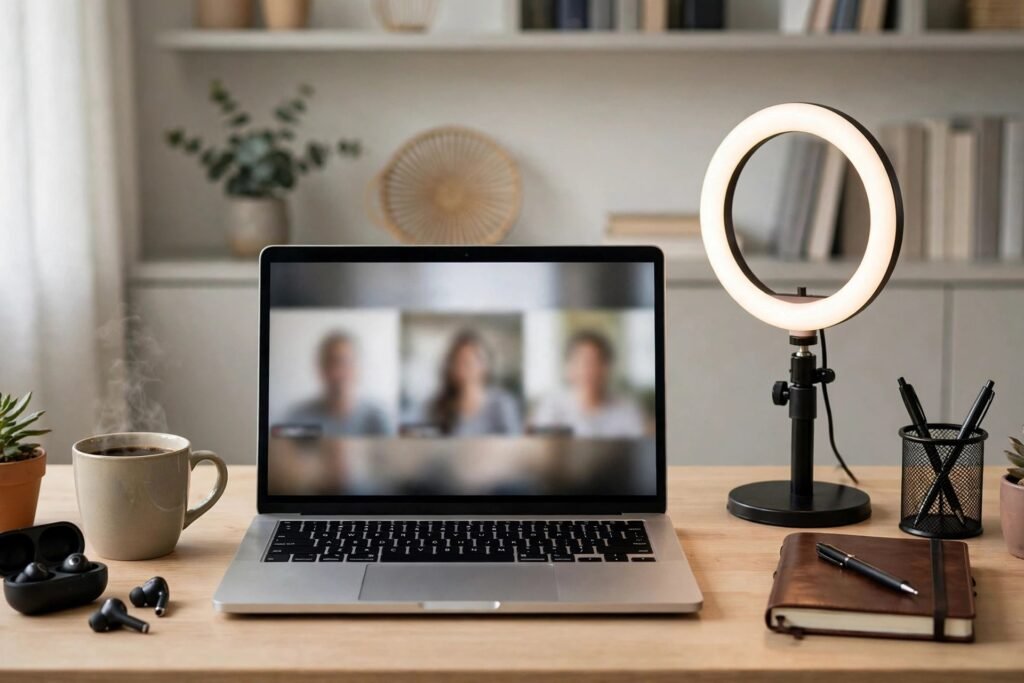
Lighting. Face a window or place a lamp behind your camera, shining on your face. Never sit with a bright window behind you — you become a silhouette. A simple ring light or desk lamp at 45 degrees eliminates harsh shadows. Test at the same time of day as your interview, since natural light changes.
Background. Clean, simple, professional: a plain wall, a tidy bookshelf, a neat room corner. Virtual backgrounds are acceptable but can glitch embarrassingly — a real, tidy background is safer. Remove anything distracting, personal, or potentially controversial from view. Do a full test recording and watch it: you will spot the clutter you have gone blind to.
Sound environment. Choose the quietest room, close windows and doors, silence notifications on every device (not just the interview laptop — your phone buzzing on the desk is picked up by the mic), and put pets elsewhere with a closed door between you. Warn household members with a sign on the door and a calendar block.
What to Wear (Yes, Full Outfit)
Dress exactly as you would for an in-person interview for the role — including pants. The “business on top, pajamas below” joke stops being funny the day you have to stand up to grab a charger. Solid colors and simple patterns read best on camera; tiny stripes and busy prints can shimmer or moiré on video. For creative-field interviews, the same personality-plus-polish rules apply — the camera just makes fit and neatness more visible.
Performance Techniques for the Camera
Video flattens the cues we rely on in person, so you must compensate deliberately:
Eye contact means looking at the camera. This feels unnatural — you want to look at the interviewer’s face on screen. But to them, eye contact happens only when you look into the lens. Practice glancing at the screen when listening and at the camera when speaking. Position the interviewer’s video window near your camera to minimize the visible shift.
Energy up 20%. Video compresses presence. Speak slightly more slowly and with slightly more vocal variety than feels natural; what feels theatrical to you looks engaged to them. Smile when you first connect — the opening seconds set the tone.
Body language still counts. Sit upright, lean slightly forward when making a key point, nod to show listening, and keep hand gestures within the frame rather than disappearing below it. Avoid fidgeting with pens or clicking — the mic amplifies everything.
Handle lag gracefully. Pause a beat before answering to avoid talking over the interviewer on delayed audio. If you freeze or drop, rejoin calmly with a brief apology and continue — how you handle a glitch says as much as your answers. Keeping work-from-home professionalism habits sharp pays off well beyond the interview.
Notes and Cheat Sheets: Allowed, With Rules
One genuine video-interview advantage: discreet notes. Tape three bullet points to the side of your screen — your key achievements, questions to ask, the role’s requirements. But never read visibly, never type loudly during the call, and never have a full script — eyes darting sideways to read text is obvious and destroys authenticity. Notes are a safety net, not a teleprompter.
The Day-Of Checklist
Thirty minutes before: test everything again, dress fully, set up water nearby (off-camera), use the restroom, silence all devices, close unnecessary programs and browser tabs (screen-share accidents happen), and open the meeting link early. Five minutes before: join, check your framing one last time, take three slow breaths. When the interviewer appears: smile, greet them by name, and thank them for their time. You are ready.
Afterward, the same rules as any interview apply — including a prompt, specific thank-you note. The U.S. Bureau of Labor Statistics (Occupational Outlook Handbook) is worth consulting beforehand so your questions about the role reflect real knowledge of the occupation’s landscape.
Conclusion
Preparing for a video interview at home means mastering three domains: bulletproof technology, a deliberately designed environment, and camera-adapted performance. None of it is glamorous — ethernet cables and lamp placement do not feel like career strategy. But interviews are won on the margins, and the candidate with clear audio, flattering light, and confident camera presence starts every answer with an advantage. Treat the video interview as its own discipline, not a lesser version of the real thing, and it becomes one of your strengths instead of a source of anxiety.
Frequently Asked Questions
Should I use a virtual background for a video interview?
A real, tidy background is safer — virtual backgrounds can glitch around your edges, which is distracting. If your space truly cannot be tidied, use a simple, professional virtual background and test it thoroughly beforehand.
Is it okay to have notes during a video interview?
Yes, discreet bullet-point notes are fine and one of video’s legitimate advantages. Keep them minimal, do not read from them visibly, and never use a full script.
What should I do if my connection drops mid-interview?
Rejoin immediately via your backup (phone hotspot or dial-in). Apologize briefly, do not over-explain, and continue. Interviewers understand tech issues; they judge how calmly you recover.
How early should I join a video interview?
Join 3–5 minutes early — enough to verify audio/video without sitting in awkward silence. Joining 15 minutes early can pressure the interviewer; joining late is disqualifying.
Do I need to wear a full suit for a video interview?
Dress to the role’s in-person standard, including below the frame. When in doubt, slightly overdress — it is nearly impossible to be penalized for looking too professional.