Best Point-of-Sale Systems for Retail Shops in 2026
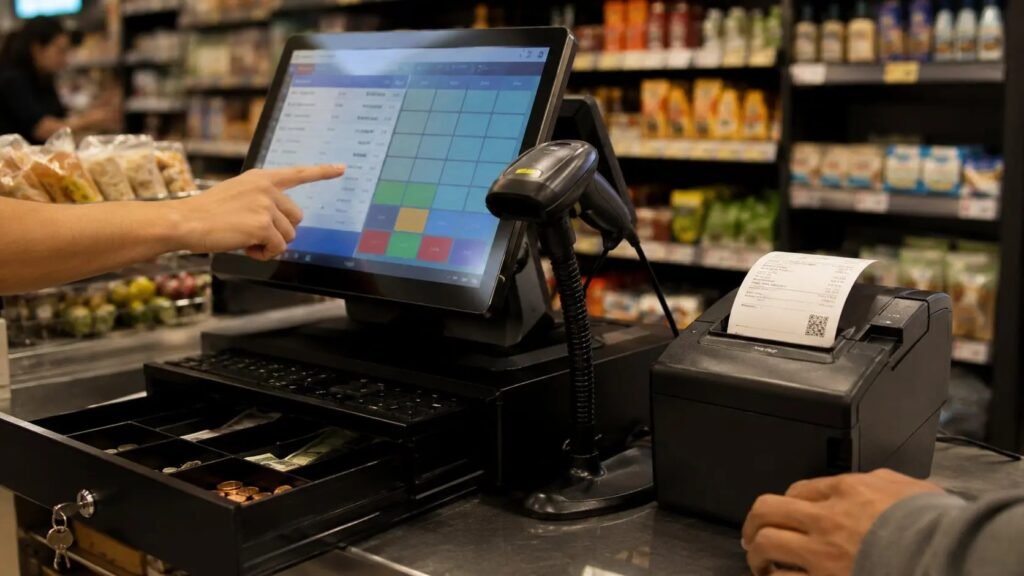
Your POS is the nervous system of a retail shop — checkout, inventory, staff, reports, payments. Pick wrong and you’re fighting it daily; pick right and it disappears into the background. The best point-of-sale system for a retail shop in 2026 depends on your size, what you sell, and whether you also sell online.
Here’s how the top four compare, with real pricing and the questions that determine your pick.
The short answer: Square POS (free software, 2.6% + 10¢ per transaction) is best for new/small shops — no monthly fee, simple hardware. Shopify POS ($39+/month) wins if you sell online too. Lightspeed Retail is best for multi-location or complex inventory. Clover suits shops wanting an all-in-one hardware bundle.
The Contenders Compared
Square: free POS software, pay only processing (2.6% + 10¢ in-person). Hardware from $59 (reader) to $799 (register). Excellent for new shops — no monthly fee means zero risk to start, inventory management is solid for single locations, and the ecosystem (appointments, online store, payroll) grows with you. Weaknesses: limited advanced inventory features, and account holds can frustrate some sellers.
Shopify POS: from $39/month (Basic) plus processing, integrates seamlessly with your Shopify online store — unified inventory across web and shop is the killer feature. If e-commerce is even a future plan, start here. Hardware via Shopify ($49 card reader, $349 terminal). Lightspeed Retail: $89+/month, the choice for multi-location shops, complex inventory (matrix items like clothing sizes/colors), and detailed reporting. Clover: hardware bundles ($500–$1,500+) with software from ~$15/month; flexible app marketplace, popular with counter-service shops.
- Square: free software, 2.6% + 10¢ — best for new/small shops
- Shopify POS: $39+/mo — best if you sell online too
- Lightspeed: $89+/mo — best for multi-location/complex inventory
- Clover: bundle pricing — best all-in-one hardware package
- All: compare total cost (software + processing + hardware) at YOUR volume
How to Choose: Five Questions
One: do you sell online now or plan to within a year? If yes, Shopify POS — unified inventory is worth the monthly fee alone. Two: single location or multiple? Multi-location reporting and transfers point to Lightspeed. Three: what’s your monthly card volume? At $10K/month, processing differences are small; at $100K/month, a 0.2% rate difference is $2,400/year — negotiate or use interchange-plus pricing.
Four: what do you sell? Apparel with variants, serialized items, or perishables need stronger inventory (Lightspeed, Square Retail Plus). Simple products are fine anywhere. Five: who runs the register? Staff turnover favors dead-simple interfaces (Square, Clover); tech-comfortable teams handle more powerful systems. Answer these honestly and the choice usually makes itself.
The True Cost Math
Don’t compare sticker prices — compare total cost at your volume: (monthly software × 12) + (processing rate × annual card volume) + hardware + add-ons. Example at $20K/month card sales: Square costs ~$6,800/year in processing with $0 software; Shopify Basic costs ~$5,900 processing + $468 software ≈ $6,400/year. The ‘free’ option isn’t always cheapest — do your numbers.
Watch for: long-term processing contracts with early termination fees (Square and Shopify are month-to-month; some Clover resellers lock you in — buy direct or read carefully), hardware leases (never lease a $800 terminal for $40/month × 48 months), and add-on creep ($20 here for loyalty, $30 there for advanced reports). Negotiate processing rates once you have volume history — 6+ months of statements is leverage.
Implementation Without the Headache
Migrate inventory before go-live, not during — export your product list, clean it (discontinued items, duplicate SKUs), and import during a slow period. Train staff on the actual register with test transactions; 30 minutes of practice prevents launch-week chaos. Run the old and new systems in parallel for 2–3 days if possible.
Set up the integrations that matter on day one: accounting software sync (QuickBooks/Xero — manual entry is where errors breed), receipt email capture (builds your customer list automatically), and staff permissions (cashiers shouldn’t see full reports or issue refunds without approval). A POS is also a loss-prevention tool — use the permission system. Review the sales reports weekly; the data is the point, not just the checkout.
What Is the Best Point-of-Sale System for a Retail Shop That Also Does Repairs?
Shops that sell products and perform services (phone repair, bike shops, jewelers, tailors) need a POS that handles both — and most retail POS systems treat services as an afterthought. The picks that do both well: Square (its Appointments and retail POS share one ecosystem — sell the case and book the repair in one system), Lightspeed (strong inventory plus service/work-order features in its retail plan), and Shopify POS (good if the retail side dominates and services are simple).
The features that matter for the service side: work orders / tickets with status tracking (intake → in progress → ready → picked up), customer notifications (automated ‘your repair is ready’ texts), deposits and partial payments, and service history per customer. Square handles this best at low cost; dedicated repair-shop software (RepairShopr, CellSmart) integrates with Square/QuickBooks if you outgrow the built-in tools.
Price the service side with the same discipline as products: track labor time per ticket, know your effective hourly rate, and don’t let ‘quick’ repairs go unbilled — five free 15-minute fixes a day is 6+ hours a week of unpaid labor. The POS data should tell you which services are profitable; drop or reprice the ones that aren’t. A shop doing repairs at a loss to drive product sales is a strategy, but it should be a deliberate one with measured results.
Related reading: what is the best business bank account for startups · how to reduce overhead costs in your business
The Bottom Line
Square (free, simple) for new/small shops; Shopify POS ($39+/mo) if you sell online; Lightspeed ($89+/mo) for multi-location or complex inventory; Clover for bundled hardware. Compare total cost at your volume — processing + software + hardware — not sticker prices. Never lease hardware, avoid long processing contracts, and migrate inventory before go-live.
Sources: Square POS for retail · Shopify POS