How Do I Create a Professional Invoice for My Clients
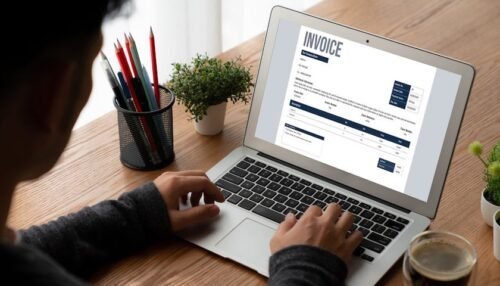
Sending an invoice should not feel like a design project, but too many freelancers and small business owners end up with sloppy, unprofessional bills that slow down payment. If you have been wondering how do I create a professional invoice for my clients, this guide gives you the exact structure, the fields you need, and the tools that make it painless.
A professional invoice does two things: it tells your client exactly what they owe and when, and it signals that you run a serious business. Clients pay clean, complete invoices faster — it is one of the simplest cash-flow wins available.
How Do I Create a Professional Invoice for My Clients? Start With These Elements
Every professional invoice needs the same core information. Leave any of these out and you invite questions, delays, and awkward follow-up emails.
- Your business name, logo, address, and contact info — top of the page
- The word “INVOICE” — prominently, so there is no confusion
- A unique invoice number — sequential, like INV-2026-0042
- Issue date and due date — be explicit, e.g., “Due March 15, 2026”
- Client name and billing address
- Itemized list of work — description, quantity, rate, and line total for each
- Subtotal, taxes, and total due
- Payment instructions — how to pay: bank transfer, card, check, or payment link
- Payment terms — e.g., “Net 30” or “Due upon receipt,” plus any late fee policy
Choosing an Invoicing Tool
You do not need expensive accounting software. Here are solid options at different price points:
- Wave (free): unlimited invoicing, great for freelancers starting out
- Zoho Invoice (free tier): polished templates and multi-currency support
- QuickBooks Self-Employed ($15/month): invoicing plus mileage tracking and estimated taxes
- FreshBooks ($19/month): excellent for service businesses with recurring clients
If you are already comfortable with spreadsheets, a clean Google Sheets or Excel template works fine — just make sure you are consistent and save PDF copies of everything you send.
Invoice Language That Gets You Paid Faster
The wording on your invoice matters more than most people think. A few rules:
- State the due date plainly — “Please pay by March 15, 2026” beats “Net 30”
- Include a late fee clause, like 1.5% per month on overdue balances — clients pay faster when consequences are written down
- Add a short thank-you note — it sounds trivial, but invoices with a polite tone get paid measurably faster, according to studies cited by Entrepreneur
- Offer an easy online payment option — every extra step a client has to take is a reason to pay “tomorrow”
What to Do When a Client Does Not Pay
Even perfect invoices sometimes go unpaid. The escalation ladder that works: a friendly reminder 3 days after the due date, a firmer follow-up at 14 days, and a formal demand letter at 30 days. If that still fails, small claims court or a collections agency are real options. I have written a full walkthrough on what to do if a client refuses to pay an invoice — bookmark it before you need it.
Common Invoicing Mistakes to Avoid
- Vague line items — “consulting services, $2,000” invites disputes; “Marketing audit, 12 hours at $125/hr” does not
- No payment terms — without a due date, there is no such thing as late
- Sending invoices late — bill within 48 hours of completing the work, while the value is fresh in the client’s mind
- No follow-up system — set calendar reminders for every invoice you send
Invoice Templates: What to Look For
If you would rather start from a template than build from scratch, here is what separates a good one from a bad one:
- Clean, uncluttered layout — generous white space, one font family, logical flow from top to bottom
- Your branding — logo, brand colors, and a consistent look across every invoice you send
- Automatic numbering — so you never accidentally send two invoices with the same number
- Editable line items with automatic math — manual totals are where embarrassing errors creep in
- A notes section — for project references, PO numbers, or friendly payment reminders
Wave and Zoho both ship with templates that meet all of these out of the box. If you go the spreadsheet route, build one master template, lock the formula cells, and duplicate it for each new invoice. Save the final version as a PDF with a clear filename like “INV-2026-0042-ClientName.pdf” so your records stay searchable.
Setting Up Recurring Invoices
If you bill the same client the same amount every month — a retainer, a subscription-style service, ongoing maintenance — stop creating invoices by hand. Every major invoicing tool supports recurring invoices: set the amount, the schedule, and the tool sends them automatically.
This one change eliminates the most common invoicing mistake of all: forgetting to bill. I have seen freelancers leave thousands of dollars on the table simply because retainer invoices went out late or never. Automation fixes that permanently, and your clients will appreciate the predictability too.
One caveat: review recurring invoices quarterly. Retainer scopes creep, rates should rise with inflation, and an invoice that has been auto-sending for a year deserves a fresh look.
Tax and Record-Keeping Basics
Your invoices are not just bills — they are your financial records. The IRS expects you to keep them for at least three years, and clean records make tax season dramatically less painful. For each invoice, keep:
- The sent invoice itself (PDF copy)
- Proof of payment (receipt, bank record)
- Any related contract or scope agreement
If you are working from a home office, those records pair with your deduction documentation. The IRS has a straightforward guide to what home-office expenses qualify — worth reading before you file.
The Bottom Line
Creating a professional invoice is not complicated: use a real tool, include every required field, state your terms clearly, and follow up on time. Nail those four things and invoicing becomes a background process instead of a monthly headache. And if you are doing email follow-ups anyway, it is worth learning how email marketing can grow your customer list — the same habits that get invoices paid help bring in the next client too.