The Safest Crypto Wallet for Beginners in 2026
“Not your keys, not your coins” — the crypto world’s most repeated mantra — is really about wallets. When you buy Bitcoin on an exchange, the exchange holds the keys. A wallet is how you take custody yourself: full control, full responsibility, no customer service desk. For beginners in 2026, choosing the right wallet is the difference between sleeping soundly and becoming a cautionary tale.
This guide explains what crypto wallets actually are, the types that exist, which is safest for beginners, how to set one up without making the classic mistakes, and the backup practices that separate survivors from statistics.
What a Crypto Wallet Actually Is
First, the mental model most beginners get wrong: a wallet doesn’t “store” your bitcoin like a purse holds cash. Your coins live on the blockchain; the wallet stores the private keys — the cryptographic secrets that prove ownership and authorize spending. Lose the keys, lose the coins. Share the keys, share (then lose) the coins.
This is why wallet choice is security choice. Every wallet type is a different trade-off between convenience and safety, and the right answer for a beginner holding a few hundred dollars differs from the right answer for someone holding life-changing amounts.
The Wallet Types, Ranked by Beginner Suitability
Hardware wallets: the gold standard
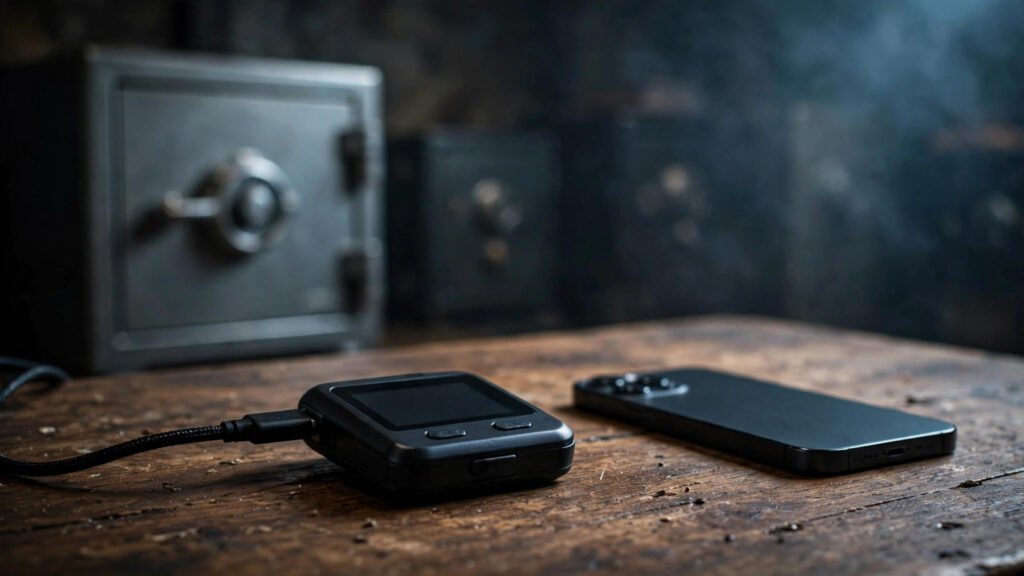
A hardware wallet is a small physical device (think USB stick) that stores your private keys offline, signing transactions without ever exposing the keys to your internet-connected computer. Immune to remote hacking, malware, and phishing-by-software — an attacker needs the physical device and your PIN. For beginners planning to hold meaningful amounts long-term, this is the safest option, and the ~$50–$150 cost is trivial insurance. The trade-off: slightly more setup friction and the need to keep track of a physical object.
Mobile and desktop software wallets: the practical middle
Apps from reputable developers offer a good balance — you control your keys, the interface is beginner-friendly, and setup takes minutes. The risk: your keys live on an internet-connected device, so malware or a compromised phone is a threat. Best for smaller amounts and learning. Locking down the device itself with strong authentication is non-negotiable here.
Exchange custody: convenient but not a wallet
Leaving coins on an exchange isn’t self-custody at all — it’s trusting a company, and companies fail, get hacked, or freeze accounts. Fine for active trading balances and tiny amounts; inappropriate as long-term storage for sums you’d miss. The SEC’s enforcement history includes platforms that lost customer funds — a reminder that “reputable” and “invulnerable” differ.
Paper wallets: obsolete for beginners
Printing keys on paper was once popular; today it’s discouraged. Paper degrades, burns, gets lost, and generating keys securely on an ordinary computer is error-prone. Hardware wallets made paper obsolete — don’t let nostalgia override security.
Setting Up Your First Wallet: The Safe Sequence
Buy your hardware wallet only from the manufacturer — never from marketplaces or resellers, where devices can be tampered with. During setup, the wallet generates your seed phrase: 12 or 24 ordinary words that are the master backup of everything. This phrase is your wallet — anyone with it owns your coins, and losing it with no other backup means permanent loss.
Write the seed phrase on paper (or stamp it into metal for fire resistance) and store copies in two separate secure locations — a home safe and a bank safe-deposit box, for example. Never photograph it, never type it into a website, never store it in cloud notes or email. Then verify the backup by restoring it (most wallets guide you through this) before sending significant funds. Finally, send a tiny test transaction first — confirm it arrives before moving the rest. Never perform wallet setup on public Wi-Fi or shared computers.
The Mistakes That Lose People Their Coins
The graveyard of lost crypto has familiar headstones: screenshotting the seed phrase (cloud photo backups have been breached); “verifying” the phrase on a website (phishing — the real wallet never asks); buying a used or discounted hardware wallet (supply-chain tampering is real); keeping the only backup next to the device (one burglary or fire takes both); and telling people about holdings (the $5 wrench attack — physical coercion — targets known holders). A password manager protects your exchange accounts, but the seed phrase stays offline, always.
How Much Security Do You Actually Need?
Match the armor to the treasure. Under a few hundred dollars: a reputable software wallet with good device security is proportionate. A few thousand: hardware wallet, properly backed up. Life-changing amounts: hardware wallet plus metal seed backup in geographically separated locations, possibly multi-signature setups requiring multiple devices to authorize transactions. The SEC’s investor education resources emphasize sizing security to exposure — over-engineering for $100 creates friction that causes its own mistakes.
One advanced topic beginners should know exists, even if they don’t implement it yet: inheritance planning. Unlike bank accounts, crypto has no beneficiary designation and no customer service to help your heirs. If something happened to you, would your family know the seed phrase exists, where it is, and how to use it — without that knowledge creating a security risk while you’re alive? Solutions range from sealed instructions with an estate attorney to multi-signature setups where heirs hold one key. You don’t need this on day one, but put it on the calendar for when holdings become significant. The cruelest crypto losses aren’t hacks — they’re coins locked forever because the only person who knew the keys is gone.
Conclusion
The safest crypto wallet for beginners in America in 2026 is a hardware wallet from the manufacturer for anything you’d hate to lose, or a reputable software wallet for learning-sized amounts — set up carefully, backed up on paper in two locations, and never photographed or typed anywhere. Wallets aren’t complicated, but they are unforgiving: there are no password resets in self-custody. Respect the seed phrase, verify before you trust, and you’ll have achieved something most beginners never do — actual ownership of your coins.
Frequently Asked Questions
Can I lose my crypto if I lose my hardware wallet?
No — the wallet is replaceable; the seed phrase is what matters. Buy a new device, enter your seed phrase, and your funds are restored. This is exactly why the seed backup matters more than the device.
What happens if someone finds my seed phrase?
They can take all your funds, from anywhere in the world, irreversibly. Treat the seed phrase like the combination to a safe holding everything you own — because functionally, it is.
Are software wallets safe enough for beginners?
Reputable ones are fine for smaller amounts while learning, provided your device is secure (updated OS, no sketchy apps, strong lock screen). Move to hardware before holdings grow into amounts you’d seriously miss.
Should I use multiple wallets?
Many experienced holders do: a software “spending” wallet with small amounts for convenience, and a hardware “savings” wallet for the bulk. This limits exposure if the hot wallet is compromised — sensible once you’re past the beginner stage.
Do crypto wallets report to the IRS?
Self-custody wallets themselves don’t report anything — but the IRS still requires you to report taxable events, and blockchain transactions are permanently visible. Moving coins to your own wallet isn’t taxable; selling them later is.