Best Free Tools for Managing a Small Business (2026 Stack)
You don’t need a $500/month software stack to run a professional small business. The best free tools for managing a small business in 2026 cover accounting, invoicing, marketing, communication, and project management — genuinely free, not crippled demos.
Here’s the complete stack I’d recommend to a friend starting out, organized by function, with the honest limits of each free tier.
The short answer: Wave (free accounting + invoicing), Google Workspace free tier (email, docs, calendar), Canva free (design), HubSpot free CRM (customer management), Trello/Notion free (projects), Mailchimp free (email marketing to 500 contacts), and Google Business Profile (free local marketing). Total cost: $0.
Money: Accounting, Invoicing, Payments
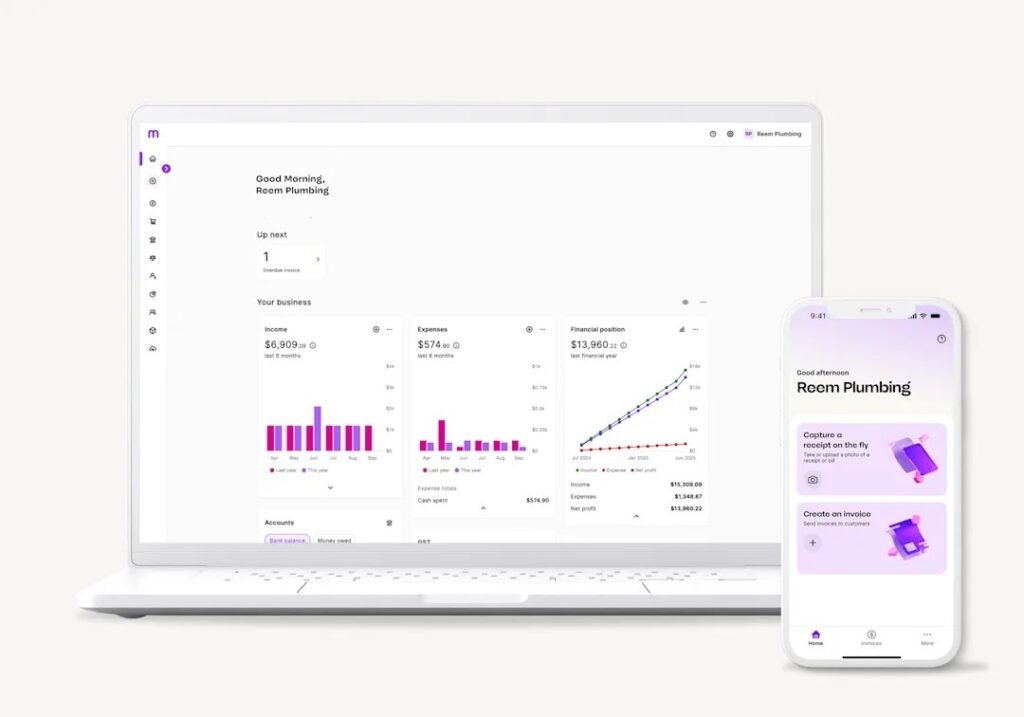
Wave is the standout — genuinely free accounting, invoicing, and receipt scanning, with paid payroll and payment processing as optional add-ons. It’s the rare free tool that’s actually complete, not a teaser. For invoicing specifically, Wave’s professional templates and automatic reminders get you paid faster; Invoice Simple and PayPal invoicing are solid alternatives.
Payments: Stripe and Square have no monthly fees (you pay per transaction, ~2.9% + $0.30) — perfect for starting out. For expense tracking, Wave handles it, or use a simple spreadsheet until volume justifies more. The rule: don’t pay for accounting software until you’re paying for payroll or need advanced reporting — free covers everything else.
Customers: CRM, Email, Marketing
HubSpot’s free CRM is absurdly generous — contact management, deal pipelines, email tracking, and live chat for unlimited users. It’s the tool that makes a one-person business look like it has a sales team. For email marketing, Mailchimp’s free tier (500 contacts) or Brevo’s free tier (300 emails/day) handle newsletters and automations; upgrade when your list outgrows them, which is a good problem.
Design: Canva’s free tier covers social graphics, flyers, presentations, and basic brand kits — it’s replaced a junior designer for thousands of small businesses. Google Business Profile (free) is your local marketing homepage. And for social scheduling, Buffer and Later both have usable free tiers for a few accounts.
- Accounting/invoicing: Wave (free, complete)
- CRM: HubSpot free (unlimited users, generous features)
- Email marketing: Mailchimp (500 contacts) or Brevo free
- Design: Canva free tier
- Projects: Trello or Notion free
- Local marketing: Google Business Profile (free)
Operations: Projects, Communication, Files
Trello’s free tier (10 boards) is perfect for simple project pipelines — client work stages, content calendars, hiring checklists. Notion’s free tier goes deeper: wikis, databases, docs, and project tracking in one place; it’s the all-in-one for organized owners. Google Workspace free (Gmail, Drive with 15GB, Docs, Calendar, Meet) remains the backbone — professional email via your domain costs $7/month/user when you’re ready, but the free tier runs the business fine.
Communication: Slack’s free tier works for small teams; WhatsApp Business (free) is excellent for customer messaging with catalogs and quick replies. For scheduling, Calendly’s free tier (one event type) eliminates the ‘when are you free?’ dance. Video: Google Meet and Zoom free tiers cover meetings.
When to Start Paying (and the Upgrade Order)
Free tools have limits you’ll eventually hit — that’s by design. Upgrade in this order: (1) custom domain email ($7/month — professionalism matters), (2) accounting when you add payroll or need real reporting, (3) email marketing when your list exceeds free tiers (it means it’s working), (4) CRM when free limits pinch. Each upgrade should be funded by the revenue the free tool helped create.
The trap to avoid: paying for tools to feel professional before you have customers. A $50/month stack with zero revenue is just expensive procrastination. Start free, prove the business, upgrade with profit. Revisit the stack yearly — tools change, free tiers shrink or grow, and your needs evolve. The best tool stack is the one you actually use, not the one with the most features.
What Are the Best Free Tools for Managing a Small Business Team?
Adding even one team member changes the tool requirements: you need shared task visibility, communication that doesn’t live in one person’s texts, and basic HR functions. The free stack that covers it: Trello or Asana free (shared boards so everyone sees priorities), Slack free (team communication with searchable history — 90 days on free tier, enough for small teams), Google Workspace free (shared calendars, docs, and Drive), and Homebase free (scheduling, time tracking, and team messaging for hourly workers — genuinely excellent and free for one location).
For the HR basics: Wave Payroll has no free tier, but Gusto’s contractor-only plan ($35/month) handles 1099s cheaply; for W-2 employees, Homebase plus a payroll service is the standard small-team combo. Keep an employee handbook in a shared Google Doc (templates free from SCORE), track time digitally from day one (paper timesheets are where payroll disputes breed), and use a shared password manager vault for team logins — never share passwords in Slack messages.
The principle: every process that lives in your head is a bottleneck. The free tools’ real value isn’t cost savings — it’s forcing the business’s operations into shared, visible systems. A two-person business on shared Trello boards and Slack is more organized than a ten-person business running on texts and memory. Start the systems when you’re small and they’ll scale; bolting them on later is ten times harder.
Resist tool sprawl as you grow: every new tool adds subscription cost, learning curve, and integration maintenance. Before adopting anything, ask whether an existing free tool covers 80% of the need — Notion can replace three separate apps, Google Workspace covers five functions, and Wave handles money. The businesses drowning in software aren’t more organized; they’re paying monthly for the illusion of organization. Fewer tools, used well, beat a sprawling stack every time.
Related reading: what is the best accounting software for a one-person business · how to start a small business from home with no money
The Bottom Line
Run on $0 with: Wave (accounting), HubSpot free CRM, Canva free (design), Trello/Notion (projects), Mailchimp/Brevo free (email), Google Workspace free, and Google Business Profile. Upgrade in order — domain email first, then accounting/payroll, then marketing tools — funded by revenue, not hope. Start free, prove the business, pay with profit.
Sources: Wave: free accounting software · HubSpot free CRM