What Are the Best AI Apps for Editing Photos on a Phone
Your phone is now a better photo editor than the expensive software professionals used a decade ago. AI can remove photobombers, unblur faces, swap skies, and turn a mediocre snapshot into something frame-worthy — all in seconds, all on your phone. If you are asking what are the best AI apps for editing photos on a phone, here are the standouts worth downloading.
I have focused on apps that real people use for real photos — not tech demos, but tools that make your everyday pictures genuinely better.
What Are the Best AI Apps for Editing Photos on a Phone? The Top Picks
1. Google Photos (Free)
The Magic Editor and Magic Eraser features are genuinely remarkable — remove unwanted objects, reposition subjects, and extend backgrounds with a tap. Best Photo automatically picks the best frame from similar shots. If you are on Android (or even iPhone), this is the baseline every other app is judged against, and it is free.
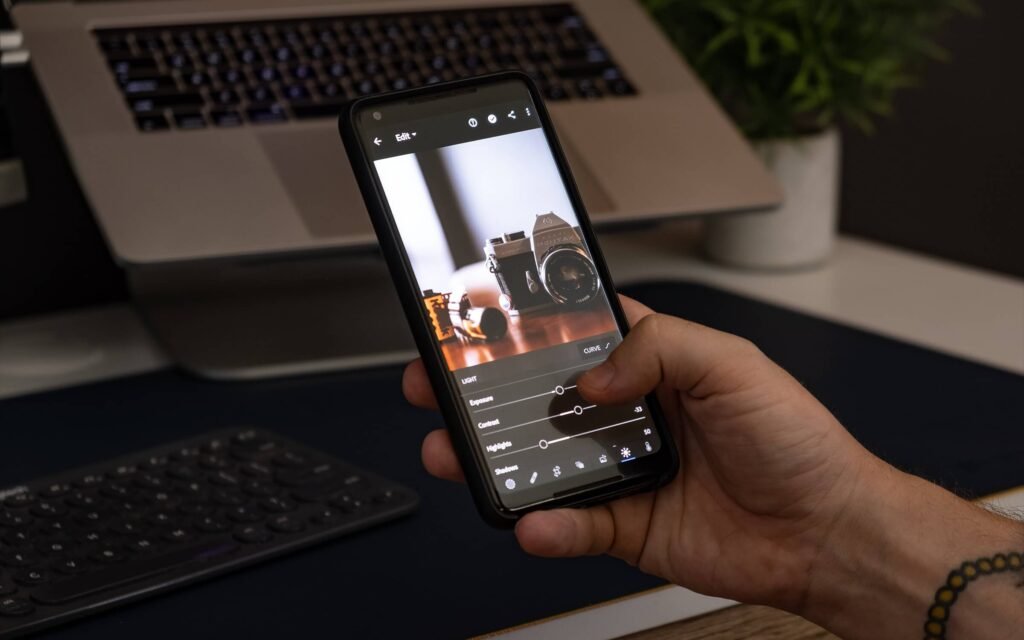
2. Adobe Lightroom Mobile (Free tier)
The free version includes AI-powered auto adjustments, subject and sky selection masks, and excellent noise reduction. For anyone who wants more control than one-tap fixes, this is the professional-grade option that still works beautifully on a phone.
3. Snapseed (Free)
Google’s free editor remains a favorite for good reason: selective AI-powered adjustments, healing tools, and a full suite of manual controls. No account, no subscription, no ads — increasingly rare and increasingly appreciated.
4. Remini (Freemium)
The unblur and enhance features are almost startling — old, blurry, or low-resolution photos come back to life. The free tier is limited but enough to rescue your most precious damaged photos. Particularly beloved for restoring old family pictures.
5. Lensa (Freemium)
Known for AI portraits and stylized avatars, but its photo editor includes solid AI background blur, face retouching, and artistic filters. The Magic Avatars feature went viral for a reason — the results are genuinely fun.
6. Photoleap / PhotoDirector (Freemium)
These offer the full AI playground: sky replacement, object removal, AI scene expansion, cartoon effects, and batch editing. Great for social media creators who want eye-catching results fast.
What AI Photo Editing Actually Does Well
- Object removal: tourists, trash cans, and ex-partners vanish convincingly
- Portrait enhancement: skin smoothing, teeth whitening, and background blur that rivals real portrait mode
- Old photo restoration: colorizing black-and-white photos and sharpening decades-old prints
- Sky and background replacement: gray day becomes golden hour (ethics of this aside)
- Automatic culling: AI picks your best shots from a burst so you do not have to
The Honest Limitations
AI editing is not magic. Hands and text still come out weird in generated fills. Heavy edits on faces can cross into uncanny territory. And there is a real question about authenticity — when every photo is AI-enhanced, what does a “real” photo even mean anymore? For personal memories, I lean toward light enhancement over transformation. For creative and commercial work, the sky is the limit.
It is also worth knowing how to tell if an image was made by AI — as editing tools get more powerful, the line between “edited photo” and “AI-generated image” keeps blurring, and spotting the difference is becoming a genuine life skill.
Privacy Note
Many AI photo apps upload your images to cloud servers for processing — and their terms sometimes grant broad rights to use uploaded content. Read the privacy policy before uploading sensitive photos, and prefer apps from established companies with clear data policies. My deeper dive on sharing personal information with AI covers the general principles that apply here too.
For authoritative reviews of photo editing apps, CNET maintains regularly updated roundups worth checking.
Editing Ethics: Where Enhancement Becomes Deception
Powerful editing raises questions worth thinking about. Where is your personal line?
- Personal memories: removing a trash can from a vacation photo? Universally accepted. Changing your body shape in every photo? Many would call that misrepresentation — and the psychological toll of maintaining an edited self-image is real.
- Dating profiles: light enhancement is expected; heavy AI alteration that makes you unrecognizable in person wastes everyone’s time, starting with yours. The date happens in real life.
- Real estate and products: virtually staging an empty room is standard practice (and should be disclosed); removing cracks, stains, or power lines crosses into deception with legal implications in many jurisdictions.
- Journalism and documentary: the bright line — news photos must represent reality. Major outlets now require disclosure of any AI alteration beyond basic exposure/color correction.
- Social media influencing: undisclosed heavy editing of bodies and lifestyles contributes to documented mental health harms, especially among young followers. The emerging norm favors disclosure.
- Creative and commercial work: full latitude — art is art, advertising is persuasion. The only requirement is not deceiving about what the product actually is.
A useful personal rule: edit the photo, not the truth. Remove distractions, improve lighting, enhance clarity — but preserve what was actually there. And when the editing is substantial, a simple “edited with AI” note costs nothing and builds trust. In an era of synthetic media, the photographers and creators who are transparent about their process will be the ones audiences trust.
Key Takeaways
Your phone now edits better than decade-old professional software. Start free, learn one app well, and keep the ethics in mind as the tools get more powerful.
- Google Photos (Magic Editor) and Snapseed cover most needs free; Remini rescues old or blurry shots; Lightroom Mobile adds professional control.
- AI excels at object removal, portrait enhancement, old-photo restoration, and automatic culling of your best shots.
- Check privacy policies before uploading sensitive photos — many apps process images on cloud servers with broad usage rights.
- Edit the photo, not the truth: remove distractions freely, but preserve what was actually there — and disclose substantial AI alterations.
The Bottom Line
Start with Google Photos or Snapseed — both free, both excellent. Add Remini for rescuing old or blurry shots, and Lightroom Mobile when you want real control. The best AI photo app is the one you will actually use, so pick one, learn it well, and enjoy photos that finally look as good as the moment felt.