Cloud Storage vs External Hard Drive: Which Is Actually Worth Your Money?
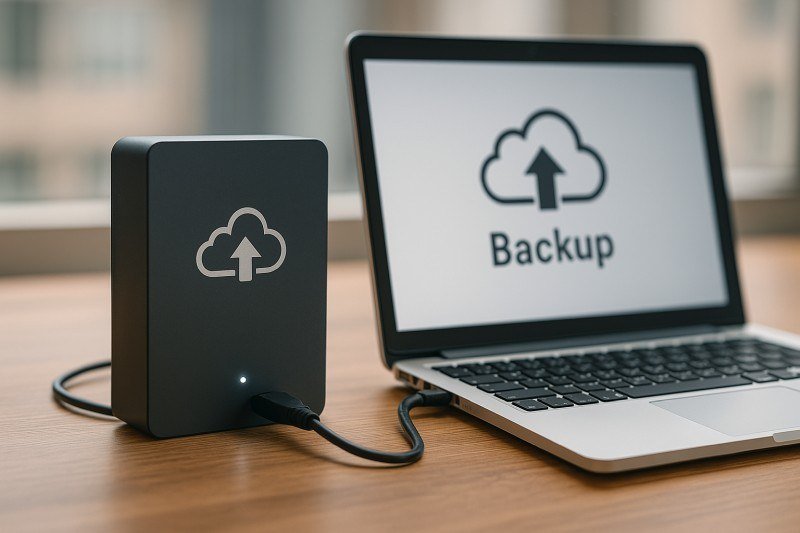
Your phone keeps nagging you about full iCloud storage, and that 1TB external drive at Best Buy is $60. So which is the smarter buy — is it worth paying extra for cloud storage, or should you just use an external hard drive and be done with it?
I use both, for different things, and I think most people should too. But the right mix depends on what you’re storing and how much you hate subscriptions. Let’s do the actual math.
The short answer: cloud storage wins for convenience, automatic backups, and accessing files anywhere ($0.99–$9.99/month for iCloud or Google One). An external hard drive wins on long-term cost — a 1TB drive is ~$50–$60 once, forever. The smart move for most people: cloud for active files and phone backup, external drive for big archives and full backups.
Is It Worth Paying Extra for Cloud Storage? The Real Cost Math
Let’s price it out. iCloud+ costs $0.99/month for 50GB, $2.99 for 200GB, and $9.99 for 2TB. Google One is nearly identical: $1.99/month for 100GB, $2.99 for 200GB, $9.99 for 2TB. A 1TB external hard drive costs about $50–$60 one time; a 1TB portable SSD is $80–$100.
Do the division and the drive wins on pure cost within a year or two — $60 once versus $36/year for 200GB of cloud, forever. But that math ignores what you’re actually buying with the subscription: automation. Cloud storage backs up your phone photos every night without you lifting a finger. An external drive only protects the files you remember to copy to it, which for most of us means it protects almost nothing. Be honest about which kind of person you are before choosing.
What Cloud Storage Does Better
Access from anywhere is the killer feature. Your files are on your phone, your laptop, your work computer, and your mom’s iPad simultaneously. Lose your laptop in an airport? Your files are fine. House fire? Your photos survive. That offsite protection is something no single external drive can match — a drive sitting next to your computer dies in the same flood or theft that kills the computer.
Cloud also handles the boring stuff: version history (accidentally overwrote a document? restore yesterday’s copy), easy sharing (send a link instead of a 2GB email attachment), and syncing between devices. For active, everyday files — documents you’re working on, current photos, anything you need on the go — cloud storage is simply the better tool.
- Automatic backup — no remembering to plug anything in
- Access from any device, anywhere
- Survives theft, fire, and floods (offsite by design)
- File version history and easy sharing links
- Downside: monthly fee forever, needs internet, privacy trade-offs
What an External Hard Drive Does Better
For big, static archives, external drives are unbeatable. A 4TB desktop drive is around $80–$100 — that’s $0.02 per gigabyte, one time, versus cloud storage that would cost you $120/year for 2TB. If you’re archiving a decade of RAW photos, video projects, or a media library, the drive pays for itself in months.
Drives are also faster for huge transfers (USB is quicker than uploading 500GB to the cloud), work without internet, and keep your data entirely in your hands — no company scanning your files, no terms-of-service changes, no price hikes. The best external hard drive for backing up family photos is usually a simple, reliable portable HDD from WD or Seagate; you don’t need anything fancy for backups.
The Hybrid Setup Most People Should Actually Use
Here’s what I’d recommend: pay for a modest cloud plan (200GB at $2.99/month covers most people’s active files and phone photos) and buy one external drive ($50–$60) for full local backups and archives. Total first-year cost: under $100. You get automation plus a local copy, which is exactly what backup experts mean by the 3-2-1 rule — three copies of important data, on two different media, with one offsite.
Set a calendar reminder to plug in the external drive monthly for a full backup (or leave it plugged into a desktop). Turn on your phone’s automatic cloud photo backup tonight — that one setting has saved more memories than every external drive ever sold. Cloud for the living, a drive for the archive, and you’ll never have the ‘my laptop died and everything’s gone’ conversation again.
Is It Worth Paying Extra for Cloud Storage or Should I Use an External Hard Drive? A Decision Framework
Ask yourself three questions. One: do you need your files on multiple devices? If yes, cloud wins — no contest. Two: are you disciplined about manual backups? Be honest; if the answer is no, cloud’s automation is worth the subscription by itself. Three: how much data are we talking? Under 200GB, cloud is cheap enough that the convenience dominates. Over 2TB, the external drive’s one-time cost becomes very attractive.
Don’t forget family plans either — Apple One and Google One family sharing spread 200GB–2TB across up to six people, dropping the per-person cost to pennies. A family of four sharing a $2.99/month 200GB plan pays less than a dollar each. And whatever you choose, revisit yearly: cloud prices drop, your data grows, and the right answer in 2026 might flip by 2028. The framework stays the same even as the numbers change.
One final consideration: price increases. Cloud storage prices have been stable, but they’re subscriptions — subject to change with 30 days’ notice. External drives are immune to price hikes but vulnerable to failure (3–5% annual failure rate; replace drives every 4–5 years). Neither is permanent; both need the other. The hybrid approach isn’t indecision — it’s the only strategy without a single point of failure.
Related reading: how do I back up my entire phone before getting a new one
The Bottom Line
Cloud storage is worth paying for if you value automatic backups and anywhere-access — $2.99/month for 200GB is cheap insurance for your photos and active files. An external drive is the better buy for big archives and full backups at a one-time $50–$60. Use both and you get the best of each for under $100 a year.
Sources: Google One plans and pricing · Backblaze’s guide to the 3-2-1 backup rule