How to Record Phone Calls Legally in the US (State-by-State Rules)
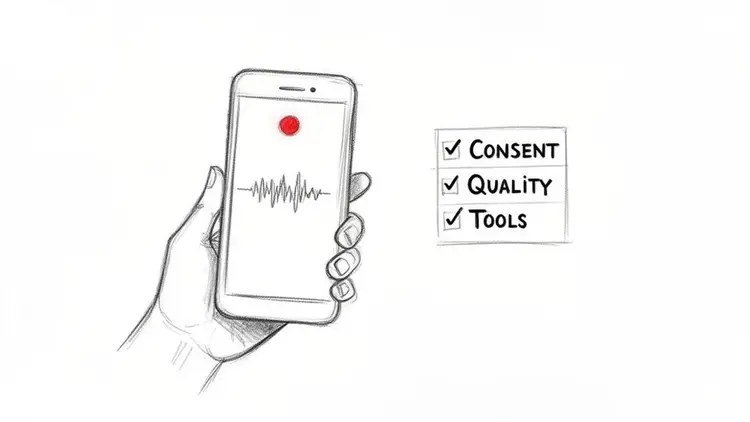
Maybe it’s a dispute with a contractor, an important business agreement, or a harassing caller you need evidence of. Whatever the reason, if you’re asking how to record phone calls legally in the US, the law — not the technology — is the part you need to get right first.
Important note up front: I’m not a lawyer, and this isn’t legal advice. But the framework is straightforward, and knowing it keeps you out of trouble.
The short answer: in one-party consent states (38 states), you can legally record a call you’re part of without telling the other person. In two-party/all-party consent states (11 states including California, Florida, and Illinois), everyone must consent. When in doubt, announce the recording — consent eliminates the legal risk everywhere.
One-Party vs Two-Party Consent: The Core Rule
Federal law and 38 states follow one-party consent: as long as you are a participant in the conversation, you can record it without informing the other party. The 11 all-party consent states — California, Connecticut, Delaware, Florida, Illinois, Maryland, Massachusetts, Montana, New Hampshire, Pennsylvania, and Washington (with nuances in a couple) — require every participant’s consent.
The tricky part: interstate calls. If you’re in a one-party state but the other person is in California, conservative legal advice says follow the stricter state’s rule. Courts haven’t fully settled every scenario, which is exactly why the universal safe move is announcing: ‘I’m recording this call, okay?’ — stated consent protects you in every state. It also tends to make people behave better, which is often the point.
- One-party consent (38 states): you can record calls you’re part of
- All-party consent (11 states): CA, CT, DE, FL, IL, MD, MA, MT, NH, PA, WA
- Interstate calls: follow the stricter state’s rule to be safe
- Universal safe move: announce the recording and get verbal consent
- Never record a conversation you’re not part of — that’s illegal everywhere
How to Actually Record (iPhone & Android)
iPhone: iOS 18.1+ includes built-in call recording — tap the record button during a call and the phone automatically announces ‘this call is being recorded’ to all parties (which conveniently handles consent). On older iOS, you’ll need a third-party app like Rev Call Recorder or TapeACall, which work via three-way calling merge — slightly clunky but reliable.
Android: many phones (especially Pixel and Samsung in some regions) have native call recording in the Phone app — check Phone app > Settings > Call recording. Where it’s missing, apps like Cube ACR work well. Google’s own recorder announces itself in many regions now. Whatever method you use, test it before the important call — there’s nothing worse than discovering the recording captured silence.
When Recording Is Actually Useful
Legitimate uses are everywhere: documenting agreements with contractors (‘he said the quote included materials’), preserving instructions from doctors or lawyers, keeping records of customer service promises (‘the rep said the fee would be waived’), and evidence of harassment or threats. For business, recorded calls also help with training and dispute resolution.
A practical tip: recordings are most useful when organized — note the date, who you spoke with, and what was agreed, and store important ones backed up (they’re evidence; treat them like it). Transcription apps (Otter.ai, Rev) turn long calls into searchable text, which is far more useful than an hour-long audio file when you need to find one specific promise six months later.
What Not to Do
Don’t record conversations you’re not part of — that’s wiretapping, illegal everywhere, with serious criminal penalties. Don’t secretly record in all-party consent states hoping no one finds out; illegally obtained recordings are inadmissible in court and can expose you to lawsuits. Don’t use recordings to blackmail or threaten — that’s extortion regardless of consent laws.
And be careful with workplace calls: some employers prohibit recording, and recording colleagues without consent can violate company policy even where it’s legal. If you’re dealing with spam or harassment calls specifically, recording (where legal) plus blocking spam calls on your phone and reporting to the FTC is the complete playbook. When the stakes are high — legal disputes, employment issues — talk to an actual lawyer before relying on a recording.
How Can I Record Phone Calls Legally in the US for Business Purposes?
Business call recording adds layers beyond the consent rules in the main guide. First, company policy: many employers prohibit recording, and violating it can cost you the job even where the law allows it. Check the employee handbook before recording any work call. Second, client contracts: some industries (finance, healthcare) have specific recording and retention rules — HIPAA, for instance, affects how recorded calls containing health information must be stored.
For customer-facing businesses, the standard is the announced recording: ‘this call may be recorded for quality assurance’ — you’ve heard it a thousand times because it simultaneously handles consent and sets expectations. If you’re recording for training or dispute protection, store recordings securely, limit access, and set retention periods (keeping every call forever is a liability, not an asset).
Interstate and international business calls need extra care: when participants are in different states or countries, apply the strictest applicable rule, and know that some countries (Germany, for example) have much stricter recording laws than any US state. When in doubt across borders, announce and get explicit consent — it’s universally safe and professionally unobjectionable. And for anything high-stakes, the main guide’s advice stands: talk to a lawyer before relying on a recording.
Related reading: how to block spam calls on your Android phone · how to tell if a text message is a scam
The Bottom Line
In 38 one-party states you can record your own calls; in 11 all-party states (including CA, FL, IL) everyone must consent. Announcing the recording protects you everywhere. Use built-in recording (iOS 18.1+, Pixel/Samsung) or apps like Rev/TapeACall/Cube ACR — and test before the call that matters. Never record conversations you’re not part of.
Sources: Reporters Committee: state recording law guide · FTC: report unwanted calls