How to Tell If a Text Message Is a Scam (With Real Examples)
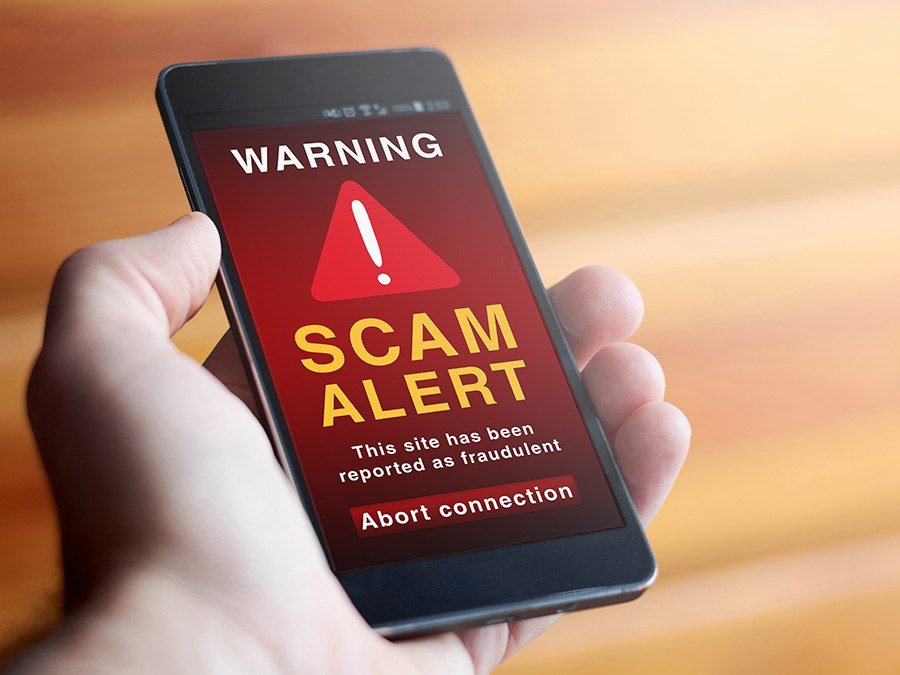
The ‘USPS package delivery failed’ text. The ‘your bank account is locked’ alert. The toll road you never drove on demanding payment. If you’re wondering how to tell if a text message is a scam, start here: the vast majority of unexpected texts asking you to click a link or take urgent action are scams.
Scam texts (smishing) are now the most common phone scam in America, and they’re getting frighteningly good. Here’s how to spot them — including the tricks that fool smart people.
The short answer: it’s a scam if it creates urgency (‘act now’), comes from an unknown number or email address, asks you to click a link or call back, involves packages/banks/tolls/jobs you didn’t expect, or asks for personal info or payment. When in doubt, don’t click — contact the company directly through their official app or website.
The Red Flags (Check Every Unexpected Text Against These)
Urgency is the universal tell. ‘Your account will be suspended in 24 hours,’ ‘final notice,’ ‘immediate action required’ — scammers manufacture panic because panicked people click without thinking. Legitimate companies don’t threaten you by text. Next, look at the sender: scam texts come from random 10-digit numbers, or email addresses (like 5551234567@txt.att.net), not short codes. Real banks and delivery companies text from consistent short codes or verified sender IDs.
Then the link: hover or long-press to preview it before touching it. Scam links use misspelled domains (usps-trackk.com, chase-secure-login.net) or URL shorteners to hide the destination. And the ask itself — any text requesting passwords, Social Security numbers, payment, or ‘verification codes’ is a scam, full stop. Real companies never ask for these by text.
- Urgency or threats (‘act now,’ ‘account suspended’)
- Unknown sender: random numbers or email addresses, not short codes
- Suspicious links: misspelled domains, URL shorteners
- Unexpected topics: packages, tolls, bank locks, job offers you didn’t seek
- Requests for personal info, passwords, or payment
- Too-good-to-be-true offers: prizes, jobs paying $500/day, crypto doubling
The Scams Going Around Right Now
Package delivery texts (‘USPS/FedEx: your package couldn’t be delivered’) are the most common — they spike around holidays. You probably aren’t expecting a package, but the scammer only needs a fraction of recipients to be. Toll road scams (‘E-ZPass: unpaid toll balance’) exploded recently and work because nearly everyone drives toll roads sometimes. Bank impersonation (‘Chase: unusual activity detected’) preys on the instinct to protect your money — the cruel irony being that clicking is what endangers it.
Newer variants: fake job offers via text (often ‘mystery shopper’ or work-from-home schemes that end in check fraud), wrong-number texts that start friendly and pivot to crypto investment scams (‘pig butchering’), and political or charity texts harvesting donations. The pattern is always the same: unexpected contact + urgency or opportunity + a link or action. Learn the pattern and you don’t need to memorize every scam.
What to Do When a Scam Text Arrives
Don’t click the link. Don’t reply — not even ‘STOP’ (any response confirms your number is active and gets you more spam). Don’t call any number in the text. Instead: screenshot it, report it by forwarding to 7726 (SPAM) — this works on all major US carriers — then delete and block the sender. On iPhone, you can also report it as junk right in the Messages app.
If you already clicked: don’t enter any information, close the page, and if you entered credentials, change that password immediately from the real website (not via any link) and enable two-factor authentication. If you entered payment info, call your bank. Then file a report at reportfraud.ftc.gov — it takes five minutes and feeds the cases that take down scam operations.
Verifying the Real Thing
Sometimes a text might be legitimate — your bank does send fraud alerts, and delivery companies do send tracking updates. The rule: never use the text’s link or number. Open the company’s official app yourself, or call the number on your card or their official website, and ask. It takes two minutes and eliminates all doubt.
You can also reduce the volume: filter unknown senders (iPhone: Settings > Messages > Filter Unknown Senders), which sorts strangers into a separate list. And talk to older relatives about this — seniors are the prime targets, and a five-minute conversation about the ‘don’t click, verify independently’ rule protects them more than any app. If a text ever makes you unsure whether your phone has been hacked or your accounts are at risk, independent verification is always the answer.
How Can I Tell If a Text Message Is a Scam Targeting Older Adults?
Seniors face tailored versions of these scams, and they’re worth knowing by name so you can warn the older adults in your life. The grandparent scam: ‘Grandma, it’s me, I’m in trouble, don’t tell Mom’ — always followed by a request for money via gift cards or wire. The fix is a family code word: any real emergency call uses it, no code word means hang up and call back on a known number.
Medicare/Social Security scams: texts claiming benefits will be suspended unless you ‘verify’ personal information — government agencies don’t operate by text. Tech support scams: pop-ups or texts claiming your device is infected with a number to call — the ‘technician’ then requests remote access and payment. And romance scams: friendly wrong-number texts that evolve into relationships and then investment ‘opportunities’ — devastating and increasingly common.
The protection conversation for seniors: set up their phones with spam filtering on, show them what scam texts look like using real examples, establish the rule that no financial action ever follows from a text without independent verification, and make it safe to ask — many seniors hide scam encounters from embarrassment, which is exactly what scammers count on. A judgment-free ‘forward me anything suspicious’ arrangement with a family member is the single most effective defense.
Related reading: how to block spam calls on your Android phone · how to tell if your phone has been hacked
The Bottom Line
Treat every unexpected text with a link as guilty until proven innocent: check for urgency, unknown senders, and sketchy links. Never click, never reply — forward to 7726, block, delete. Verify anything important through the company’s official app, not the text. And teach the rule to older relatives; they’re the ones scammers target most.
Sources: FTC: how to recognize and report spam text messages · FCC: stop unwanted robocalls and texts