
How to Connect Wireless Earbuds to Two Devices at Once (Multipoint)
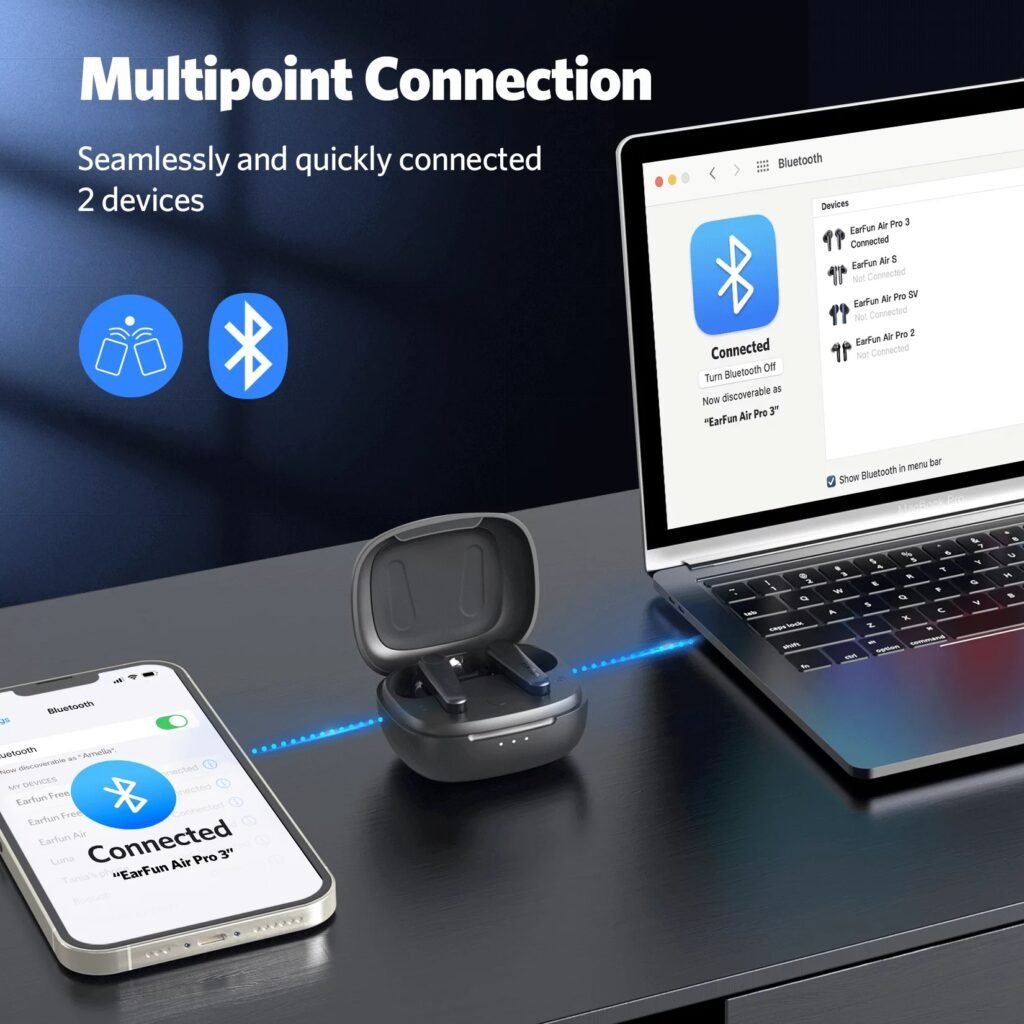
You’re watching a video on your laptop when your phone rings — and your earbuds just… handle it. That’s multipoint: connecting your wireless earbuds to two devices at once. If your earbuds support it, it’s one of those features that feels like magic the first time.
Not all earbuds do, and the setup varies by brand. Here’s how it works, which earbuds support it, and the workarounds when yours don’t.
The short answer: check if your earbuds support ‘multipoint’ (Sony, Bose, Jabra, Samsung, and newer AirPods via Apple device switching do). Enable it in the brand’s app, pair the first device, then put the earbuds back in pairing mode and pair the second. The earbuds then switch automatically based on which device plays audio or rings.
What Multipoint Actually Is (and Isn’t)
Multipoint Bluetooth lets earbuds maintain simultaneous connections to two devices — typically your phone and your laptop. They don’t play both at once; instead, they intelligently switch. Phone rings while you’re on a laptop call? The earbuds hop to the phone. Hang up, and they hop back. Music pauses on one when the other needs audio.
What it isn’t: most multipoint implementations handle two devices, not three or more. And there’s a distinction between true multipoint (works with any two Bluetooth devices) and ecosystem switching (Apple’s automatic switching between your iPhone, iPad, and Mac signed into the same Apple ID, or Samsung’s auto-switch between Galaxy devices). Ecosystem switching is seamless but locks you into one brand; true multipoint works across brands.
How to Set Up Multipoint by Brand
Sony (WF-1000XM4/XM5): enable ‘Connect to 2 devices simultaneously’ in the Sound Connect app, then pair device one, put earbuds back in pairing mode (hold both touch sensors), and pair device two. Bose QuietComfort: similar flow in the Bose app. Jabra Elite series: multipoint is usually on by default — just pair the second device while the first is connected.
Samsung Galaxy Buds: enable ‘Auto switch’ in the Galaxy Wearable app (works best between Samsung devices, but multipoint to any two devices is supported on newer models). AirPods Pro/Max: automatic switching between Apple devices on the same iCloud account is on by default (Bluetooth settings > tap the i > ‘Connect to This iPhone’ > Automatically). Google Pixel Buds Pro: enable multipoint in the Pixel Buds app settings.
- Sony: Sound Connect app > enable 2-device connection
- Bose: Bose app > multipoint in Bluetooth settings
- Jabra: usually on by default — pair second device while first is connected
- AirPods: automatic switching via iCloud (Apple devices only)
- Samsung: Galaxy Wearable app > Auto switch / multipoint
- Pixel Buds Pro: Pixel Buds app > Multipoint
If Your Earbuds Don’t Support Multipoint
Budget earbuds often skip multipoint to hit a price point. Workarounds: most earbuds remember multiple paired devices even without multipoint — you just switch manually by disconnecting from one device’s Bluetooth menu and connecting from the other’s. It takes ten seconds and becomes muscle memory.
Another trick: if both devices are Apple, or both Samsung, ecosystem auto-switching may work even on earbuds without formal multipoint. And for laptop+phone specifically, some people prefer a Bluetooth audio splitter or simply using the phone for calls and laptop for media with quick manual switching. It’s less elegant, but it costs nothing. If multipoint matters to you daily, it’s worth prioritizing in your next earbud purchase — it’s become common even in the $80–$120 range.
Fixing Multipoint Headaches
The classic complaint: earbuds keep jumping to the wrong device. Usually that’s notification sounds — your phone’s email ding steals audio focus from your laptop’s video. Fix it by silencing notifications on the idle device, or in the earbuds’ app, look for a ‘prioritize’ or ‘preferred device’ setting.
If switching is unreliable, unpair everything and set up fresh — multipoint pairings corrupt more often than single ones. Keep firmware updated; manufacturers steadily improve switching logic. And note that multipoint plus high-quality codecs can strain older Bluetooth: if audio stutters with two devices connected, try disabling the higher-bitrate codec (LDAC/aptX) in the app. Stability beats theoretical audio quality for calls and video anyway.
How Do I Connect My Wireless Earbuds to Two Devices at Once? Troubleshooting Switching
Multipoint’s most common frustration is the earbuds connecting to the wrong device at the wrong time — your laptop steals audio while you’re on a phone call, or vice versa. The root cause is usually notification sounds: a device grabbing audio focus for a two-second ding. Fix it by silencing notifications on the device you’re not actively using, or enabling Do Not Disturb on the idle device during important calls.
Most earbud apps also have connection priority settings worth exploring — Sony’s app lets you prioritize stable connection over sound quality, which helps when two devices strain the Bluetooth bandwidth. If switching becomes erratic, the nuclear fix is unpairing from both devices, resetting the earbuds to factory (usually a long button hold — check your manual), and setting up multipoint fresh. Corrupted multipoint pairings are more common than single-device ones.
One more scenario: video calls on the laptop while the phone rings. Good multipoint handles this gracefully (pauses laptop, takes call, returns). Cheap implementations fumble it. If yours fumbles consistently, the pragmatic workaround is manually disconnecting the phone’s Bluetooth during important laptop calls — ten seconds in the Bluetooth menu, total reliability. Not elegant, but neither is missing the client’s question.
Battery life takes a real hit with multipoint active — maintaining two Bluetooth connections costs roughly 15–20% more power than one. If you’re on a long flight with only the tablet connected, temporarily disabling multipoint in the earbuds’ app squeezes out extra hours. It’s a small optimization, but on travel days every hour counts, and toggling it takes five seconds.
Related reading: why your Bluetooth headphones keep cutting out · what is the best affordable noise-canceling headphone for remote workers
The Bottom Line
Check your earbuds’ app for a multipoint or two-device setting, pair device one, re-enter pairing mode, and pair device two. Sony, Bose, Jabra, Samsung, and Pixel Buds Pro all support it; AirPods auto-switch within Apple devices. No multipoint? Manual switching via Bluetooth menus takes ten seconds. Silence notifications on the idle device to stop unwanted audio-stealing.
Sources: Sony headphones connect app guide · Bluetooth SIG: about multipoint






1 thought on “How to Connect Wireless Earbuds to Two Devices at Once (Multipoint)”