Is a 144Hz Monitor Worth It for Casual Gaming?
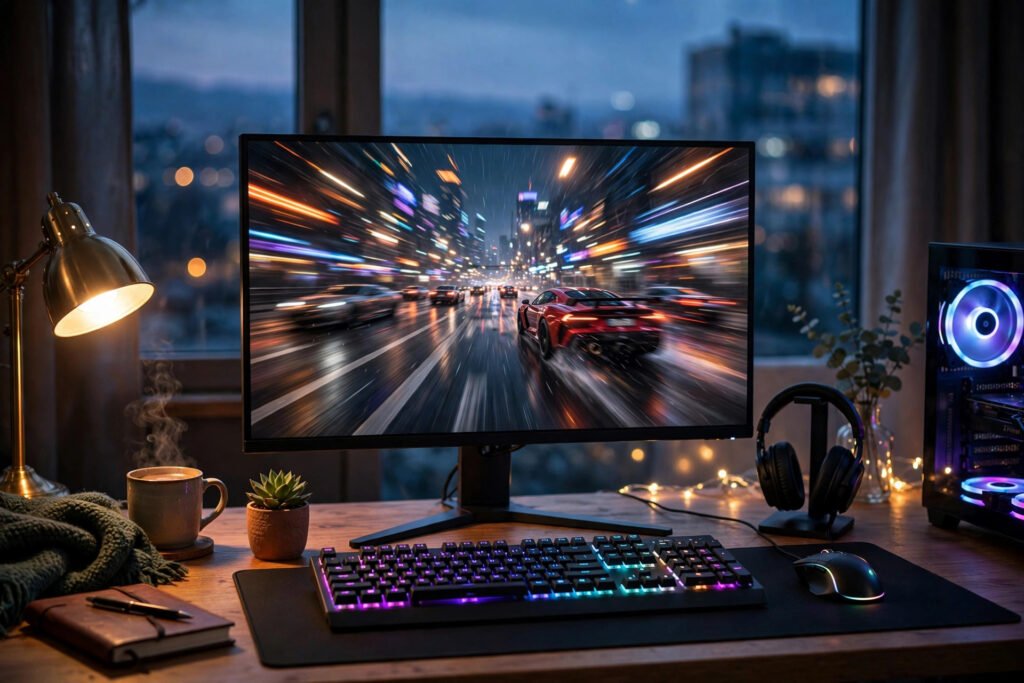
You’re browsing monitors and the 144Hz models cost $80–$150 more than their 60Hz twins. The marketing screams that high refresh is transformative — but you’re a casual gamer, not an esports pro. Is the upgrade actually worth it for someone who plays a few hours a week of story games, the occasional shooter with friends, and maybe some Stardew Valley? The honest answer: it depends on what you play, what you play on, and whether you’d notice — and most casual gamers are surprised by which side they land on.
What 144Hz Actually Changes (And What It Doesn’t)
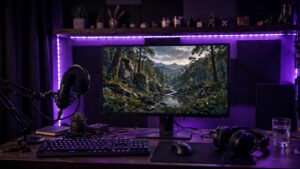
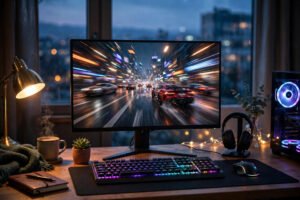
A 60Hz monitor redraws the image 60 times per second; 144Hz does it 144 times. The result: motion looks dramatically smoother, mouse movement feels more responsive, and fast camera pans lose the judder and blur of 60Hz. It’s not subtle — most people notice the difference within seconds of moving a window around the desktop, before even launching a game. Once you’ve used 144Hz, going back to 60Hz feels like downgrading, the way returning to a 30fps game feels after 60fps.
What it doesn’t do: make you better at games by itself (reaction-time benefits exist but are small — single-digit milliseconds), improve graphics quality (resolution and panel type determine that), or matter at all if your PC can’t push frame rates above 60fps. That last point is the crux for casual gamers: a 144Hz monitor displaying a 60fps game looks essentially identical to a 60Hz monitor. The monitor can only display frames your GPU produces. No frames, no benefit.
The Casual Gamer’s Decision Framework
You WILL notice and benefit if: you play any fast-paced games (first-person shooters, racing games, action RPGs with quick camera movement), your PC or console can actually output 100+ fps in those games, or you do lots of general desktop work — the smoothness upgrade applies to everything, including scrolling and cursor movement, and many buyers report the desktop experience alone justified the purchase.
You WON’T benefit much if: you mainly play slow-paced games (turn-based strategy, point-and-click adventures, visual novels, casual mobile-style games), your hardware tops out around 60fps (a common situation with budget GPUs or older consoles — the PS5 and Xbox Series X support 120Hz, but many games cap at 60), or you’re on a tight budget where the $100+ premium competes with a better GPU, more RAM, or games themselves.
The honest middle: most “casual” gamers play a mix. If even a third of your gaming is shooters, Rocket League, or fast action games, and your system can drive the frames, 144Hz is one of the most noticeable quality-of-life upgrades in PC gaming — owners consistently rank it above GPU upgrades in satisfaction surveys. If your library is casual-friendly games played on modest hardware, the money is better spent elsewhere.
What to Buy (And the Specs That Actually Matter)
If you decide yes, don’t just buy the cheapest 144Hz panel. The specs that matter: panel type — IPS for the best colors and viewing angles (the right choice for most casual gamers), VA for contrast (great for dark atmospheric games, but slower response can smear), TN only if you’re a competitive player on a budget (fast but washed-out). Adaptive sync — FreeSync (AMD) or G-Sync Compatible (NVIDIA) eliminates screen tearing when frame rates fluctuate; in 2026 this is effectively mandatory and costs nothing extra. Resolution: 1080p 144Hz is the sweet spot for budget GPUs; 1440p 144Hz+ is the enthusiast pick but demands a much stronger graphics card.
Price reality in 2026: decent 1080p 144Hz IPS monitors start around $150–$180 on sale — the premium over 60Hz has shrunk to $50–$80 at the low end. At that price, the upgrade is an easy yes for anyone with capable hardware. The $250+ 1440p high-refresh tier is where the casual-gamer question gets real. Check RTINGS and Tom’s Hardware for measured response times and input lag before buying — manufacturer specs are marketing, not measurements.
Console Gamers: A Different Calculation
PS5 and Xbox Series X support 120Hz output, but only in specific games with performance modes enabled — and many of the most popular casual titles (story adventures, sports games, party games) run at 60fps or even 30fps. If you’re primarily a console gamer, check whether your actual games support 120Hz before paying the premium; for many console libraries, a better 60Hz 4K TV delivers more visible improvement than a 120Hz monitor. PC gamers with mid-range-or-better GPUs are the clearest beneficiaries.
Also consider your total setup: a 144Hz monitor pairs naturally with a good entertainment setup for the hours you’re not gaming — IPS panels’ color quality makes everything from streaming to web browsing look better, which softens the “is it worth it” math for mixed-use desks.
The 60Hz Holdouts: When Staying Put Is Smart
There’s a respectable case for ignoring the hype entirely. If your current 60Hz monitor is a quality IPS panel with good colors, and your gaming diet is strategy titles, RPGs, cozy sims, and story adventures, the 144Hz upgrade genuinely changes little — those games don’t benefit from high refresh, and your money buys more happiness as games, a comfortable chair, or savings. Content creators focused on video editing or design may even prefer investing in color accuracy (a calibrated 4K 60Hz panel) over refresh rate. And if your GPU is the bottleneck, a $150 monitor upgrade that your hardware can’t feed is just a smoother-looking desktop — nice, but hardly transformative. The upgrade-obsessed culture of PC gaming treats every new spec as mandatory; the mature move is matching purchases to your actual use. A happy 60Hz gamer with a library they love is beating the 144Hz owner who upgraded for status and plays the same 60fps games.
Conclusion
Is a 144Hz monitor worth it for casual gaming? If you play fast-paced games on hardware that can push 100+ fps: absolutely — it’s the most immediately noticeable upgrade you can buy, and 2026 prices make it affordable. If your gaming is slow-paced titles on modest hardware: no — put the money toward games or a GPU first. Check your actual frame rates (enable the fps counter for a week), be honest about your library, and let the data decide. The worst purchase is a 144Hz monitor displaying 60fps games; the best is one that makes every fast game you own feel brand new.
Frequently Asked Questions
Can the human eye even see above 60Hz?
Yes — this myth refuses to die. While the eye doesn’t work in “frames,” humans reliably perceive smoothness differences well past 144Hz in motion tests, and most people notice the 60Hz-to-144Hz jump instantly. Diminishing returns set in around 240Hz for non-professionals, but 60→144 is dramatic.
Do I need a powerful PC for a 144Hz monitor?
To fully benefit in games, yes — your GPU must produce high frame rates. But the desktop smoothness benefit applies regardless of GPU, and many esports-style games (Valorant, CS2, Rocket League) hit 144fps on modest hardware. Check your games’ actual performance before deciding.
Is 144Hz or 4K better for casual gaming?
For fast-paced games: 144Hz at 1080p/1440p. For cinematic single-player games: 4K at 60Hz shows more detail. Most casual gamers with mixed libraries prefer high refresh — smoothness is noticeable in everything, while 4K’s detail advantage requires sitting close to a large screen.
Will a 144Hz monitor help with console gaming?
Only for the subset of PS5/Xbox Series X games with 120Hz modes enabled. Check your specific games’ support first — for many console libraries, the benefit is limited and a quality 4K display is the better investment.