What Is the Difference Between SSD and HDD for Loading Games
You’re staring at a loading screen. Again. Your friend with the new PC loads into the match 40 seconds earlier, every time. The difference is almost certainly storage: SSD versus HDD — solid-state drive versus hard disk drive. It’s the single most impactful gaming upgrade of the last decade, more transformative than most GPU jumps, and still widely misunderstood. What actually differs between them for gaming, and does it go beyond loading times? Here’s the complete breakdown.
The Fundamental Difference
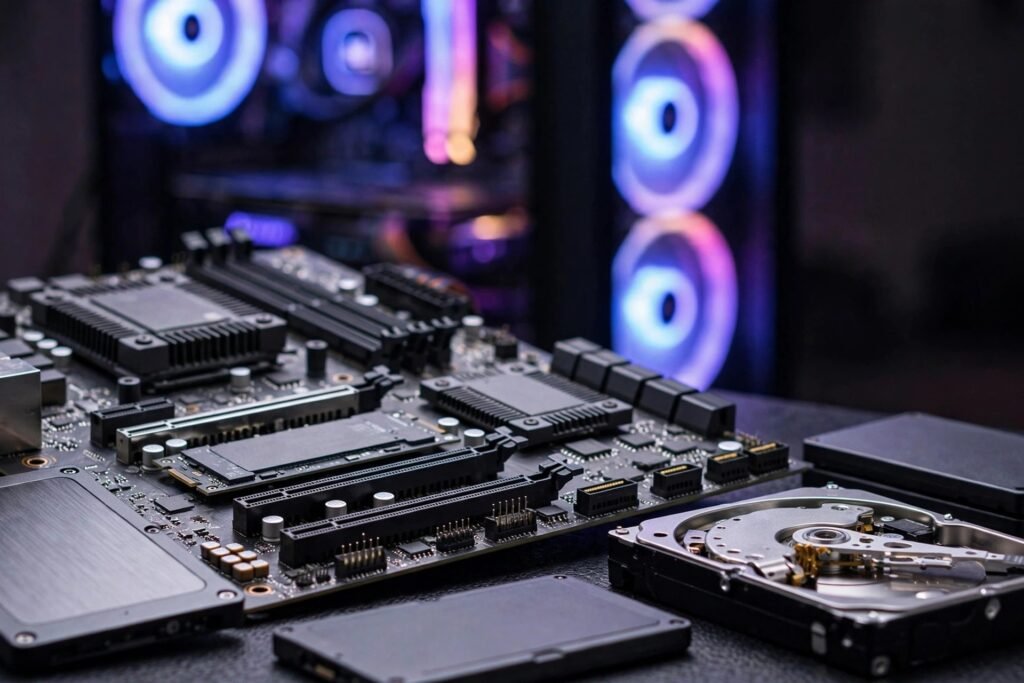
HDD (Hard Disk Drive): Spinning magnetic platters read by a physical arm that must physically move to the right location — like a record player. Moving parts, ~80–160 MB/s sequential speeds, but random access (grabbing small scattered files) is brutally slow (~1–2 MB/s effective) because the arm must seek constantly. SSD (Solid State Drive): No moving parts — NAND flash memory chips accessed electronically. SATA SSDs: ~500 MB/s. NVMe SSDs (the modern standard): 3,500–14,000+ MB/s sequential, with random access thousands of times faster than HDDs.
The key insight for gaming: games don’t load one big file — they load thousands of small files (textures, models, audio clips, shaders) scattered across storage. This is random access, HDDs’ worst workload and SSDs’ greatest strength. The real-world gap isn’t the 3–5x sequential difference — it’s the 50–100x random-access difference. That’s why the upgrade feels transformative rather than incremental.
What SSDs Actually Change in Gaming
Loading times (the obvious win)
The headline improvement: game loads 3–10x faster. Open-world games (the worst HDD offenders — constantly streaming assets) transform most dramatically: fast travel in seconds instead of a minute, initial loads cut by two-thirds or more. This isn’t just convenience — it changes behavior. Players fast-travel more, retry challenging sections more willingly, and experiment more when loading isn’t a punishment. Game designers know this: modern games are increasingly designed assuming SSDs.
Texture streaming and pop-in
Open worlds stream textures as you move — HDDs can’t keep up, producing the infamous texture pop-in (muddy ground resolving into detail seconds late) and stuttering when entering new areas. SSDs stream fast enough that pop-in largely vanishes. This is a visual quality improvement, not just a speed one.
Stuttering and frame consistency
HDD asset-loading hitches cause micro-stutters — brief frame drops when the game waits on storage. SSDs eliminate most storage-related stutter, producing smoother frame pacing. This matters more than many realize: consistent frametimes feel better than higher-but-erratic framerates.
System responsiveness
Boot times (under 15 seconds vs. over a minute), game launcher responsiveness, alt-tabbing, background tasks — everything involving storage accelerates. The SSD upgrade improves the entire computing experience, which is why it’s the universal first recommendation for speeding up an old, slow computer — more impactful than RAM or CPU upgrades for perceived speed.
What SSDs Don’t Change
Honest boundaries: Framerates — SSDs don’t increase FPS (that’s GPU/CPU). They eliminate storage stutters but don’t raise the ceiling. Graphics quality — textures look the same once loaded; they just load faster and stream better. Online performance — your ping and server connection are unaffected. Game logic — AI, physics, and simulation speed are CPU-bound. Anyone selling SSDs as FPS boosters is misleading you — the benefits are real but specific.
SSD Types: What to Actually Buy
NVMe vs. SATA
NVMe (M.2 stick, PCIe interface): the modern standard — 3,500+ MB/s, tiny form factor, prices now close to SATA. SATA SSDs (2.5″ drives): ~500 MB/s cap, older interface. For gaming in 2026: buy NVMe unless your motherboard lacks M.2 slots (then SATA SSD is still a massive HDD upgrade). The NVMe-vs-SATA gaming difference is modest (both crush HDDs) but NVMe costs barely more now.
Gen 3 vs. Gen 4 vs. Gen 5
PCIe generations double bandwidth each step: Gen 3 (~3,500 MB/s), Gen 4 (~7,000), Gen 5 (~14,000). For gaming: Gen 3 vs. Gen 4 shows small real-world differences (game loading is rarely sequential-bandwidth-limited); Gen 5 is currently overkill for gaming specifically. Buy Gen 4 for the sweet spot — Gen 3 if budget-constrained, Gen 5 only for professional workloads. Don’t pay premiums for gaming gains that don’t exist.
Capacity and the DirectStorage future
Buy at least 1TB for a gaming drive (modern games: 50–150GB each — 500GB fills in months). And note the future: DirectStorage (GPU directly accessing SSD, bypassing CPU decompression) is beginning to make SSD speed matter for more than loading — upcoming games will leverage fast NVMe for asset streaming that HDDs and slow SSDs can’t handle. The PS5/Xbox Series consoles already require SSD-speed storage; PC is following. An HDD-only gaming PC is increasingly a legacy machine.
For the broader storage picture — phones, backups, media — the same principles apply at different scales: understanding how much storage you really need on a smartphone helps you avoid both shortage and overspending across all your devices.
The Bottom Line
SSDs beat HDDs for gaming through overwhelmingly faster random access (50–100x) — the workload games actually impose — producing 3–10x faster loads, eliminated texture pop-in, smoother frame pacing, and a transformed overall experience. They don’t raise framerates or improve graphics quality directly. Buy NVMe Gen 4, 1TB minimum, and never game from an HDD in 2026 if you can avoid it — it’s the single most cost-effective gaming upgrade, and the coming DirectStorage era will only widen the gap. The Crucial and PC Gamer storage guides stay current on the rapidly evolving market.
The External SSD Option
There is a middle path many gamers miss: external SSDs. For consoles, an external USB SSD can store and (on last-gen consoles) play games far faster than the internal HDD, at a fraction of the cost of internal expansion cards. On PC, a SATA SSD in a cheap USB enclosure makes a perfectly good game library drive — you will not get NVMe speeds, but you will get SSD-class loading for a fraction of the price per terabyte. This is the budget upgrade that delivers most of the real-world benefit: keep your current internal drive, add external SSD capacity for the games you actually play.
Managing a Big Library
Storage strategy matters as much as storage hardware. Audit your installed games quarterly — unfinished games you have not touched in months can be uninstalled and redownloaded later; your saves are safe in the cloud. Prioritize what lives on the fastest drive: competitive multiplayer and open-world games with constant streaming benefit most from NVMe speeds, while turn-based and indie titles are perfectly happy on slower storage. Enable any “high performance” or game-mode storage settings your platform offers, and keep 10–15% of each drive free — SSDs slow down and wear faster when completely full. A little library hygiene stretches every gigabyte further.
Frequently Asked Questions
Do SSDs increase FPS in games?
No — framerates are GPU/CPU-bound. SSDs eliminate storage-related stuttering and slash loading times, which feels transformative, but they don’t raise the FPS ceiling.
Is NVMe worth it over SATA SSD for gaming?
Modestly — both crush HDDs, and the NVMe advantage in current games is small. But NVMe costs barely more now, and DirectStorage games will leverage faster drives more. Buy NVMe Gen 4 as the sweet spot.
How much SSD storage do I need for gaming?
1TB minimum for a dedicated gaming drive — modern games run 50-150GB each. 2TB is the comfortable capacity for an active library without constant uninstalling.
Can I just add an SSD to my old PC?
Yes — it’s the single best upgrade for old systems, improving boot times, responsiveness, and game loads dramatically. Even a SATA SSD transforms an HDD-based PC.
What is DirectStorage?
Technology letting GPUs load game assets directly from NVMe SSDs, bypassing CPU decompression bottlenecks. It makes SSD speed matter for in-game streaming, not just loading screens — the future direction of PC gaming storage.