Dropped Your Phone in Water? Do This Right Now (and Skip the Rice)
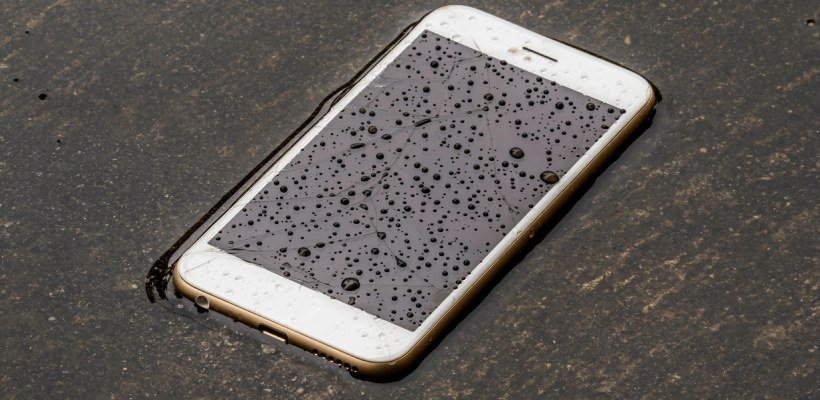
It happens in a split second — a slip by the pool, a tumble into the sink, a pocket that met a rainstorm. If your phone falls in water, what you do in the next few minutes matters more than anything else. And the most popular advice, the bowl of rice, is mostly a myth.
Modern phones have water resistance ratings, but ‘resistant’ is not ‘waterproof,’ and warranties don’t cover water damage. Here’s the real playbook, step by step.
The short answer: power the phone off immediately, remove the case and SIM tray, dry the outside, and let it air-dry in a ventilated spot for 24–48 hours. Do NOT charge it, do not use a hair dryer, and skip the rice — silica gel packets or just airflow work better.
What Should I Do If My Phone Falls in Water? The First 60 Seconds
Step one: get it out of the water fast, obviously. Step two — and this is the one people mess up — turn it off immediately if it’s still on. Every second electricity flows through wet circuits, corrosion and short circuits are doing damage. Don’t try to test it, don’t check if the screen works, don’t plug it in ‘to see.’ Power off, now.
Step three: strip it down. Remove the case, take out the SIM tray (and the SIM card — dry it separately), and unplug anything connected. Hold the phone with the charging port facing down and gently shake out any trapped water. Then pat everything dry with a soft, lint-free cloth or paper towel. If it fell in salt water, a pool, or anything other than clean fresh water, rinse it briefly under clean tap water first — salt and chlorine corrode far worse than plain water, and a quick rinse removes them.
How to Dry It Properly (No, Not Rice)
Here’s the truth about rice: studies and repair technicians agree it’s barely better than air-drying, and rice dust and starch can actually get into your ports and make things worse. What works better is simple airflow. Stand the phone upright in a well-ventilated spot — near a fan is ideal — with the ports facing down so gravity helps. Leave it for at least 24 hours, 48 if it was fully submerged.
Silica gel packets (the little ‘do not eat’ pouches from shoe boxes and electronics) genuinely help if you have a handful — seal the phone in a bag or container with them. A dehumidifier nearby works too. What you must not do: use a hair dryer or put it on a radiator. Heat warps internal components and can melt adhesives. Room-temperature airflow is the way.
- Power off immediately — do not test it or charge it
- Remove case, SIM tray, and anything plugged in
- Rinse briefly if it was salt water, pool water, or soda
- Air-dry upright near a fan for 24–48 hours, ports down
- Skip the rice; use silica gel packets if you have them
- Never use heat — no hair dryers, no radiators, no ovens
When Can You Turn It Back On?
Wait the full drying time — I know it’s agonizing. When you do power it on, watch for warning signs: the screen flickering, speakers sounding muffled or crackly, the charging port refusing to charge, or the phone getting unusually hot. Muffled speakers often clear up on their own over a day or two as the last moisture evaporates; both iPhone and many Android phones have a ‘water eject’ shortcut or feature that plays a tone to push water out of the speaker.
If the phone won’t turn on at all after 48 hours of drying, take it to a repair shop rather than keep trying — repeated power attempts on a wet board cause more damage. And be honest with the technician about what happened; those little water-indicator stickers inside turn pink on contact, so they’ll know anyway.
What About Water Resistance Ratings?
Most phones from the last few years carry an IP67 or IP68 rating, meaning they survived lab tests in fresh water at certain depths for 30 minutes. That’s genuinely useful — a quick dunk in the sink is often harmless. But the rating degrades as seals age, drops and repairs compromise it, and it was never tested in salt water, chlorinated pools, or soapy dishwater.
Crucially, no manufacturer warranties water damage. Apple and Samsung both exclude liquid damage explicitly. So treat water resistance as a safety net, not a feature: it’s there for accidents, not for underwater photography. If your phone takes frequent water exposure, a waterproof pouch ($10–$15) is cheap insurance — and it’s also a good reminder to back up your entire phone regularly, because water is one of the top phone-killers.
What Should I Do If My Phone Falls in Water? Insurance, Warranties, and Next Steps
Once the phone is dry and working (or not), deal with the business side. Standard manufacturer warranties explicitly exclude water damage — don’t waste a trip arguing it. But carrier insurance plans (Verizon Mobile Protect, AT&T Protect Advantage, T-Mobile Protection 360, typically $7–$17/month) and AppleCare+ do cover accidental water damage with a deductible ($99–$149 usually). If you’re paying for a protection plan, file the claim — that’s literally what it’s for.
If the phone survived but acts flaky — random reboots, a camera that fogs, charging that cuts in and out — corrosion may be progressing inside. This can take weeks to fully manifest. Back up everything immediately while it works, because a phone that ‘mostly recovered’ can still die suddenly a month later. And if you’re buying the replacement, consider it a lesson worth $10: a waterproof pouch for pools, beaches, and boats is the cheapest phone insurance ever sold.
Related reading: how much does it cost to replace an iPhone screen at a repair shop in the US
The Bottom Line
Power off immediately, strip the case and SIM, rinse off salt or chlorine, and air-dry upright near a fan for 24–48 hours. Skip the rice, skip the heat, and don’t charge it until you’re sure it’s dry. Water resistance helps with accidents but isn’t a warranty — treat it as a safety net, not permission to swim with your phone.
Sources: Apple’s official guide for a wet iPhone · Samsung’s water damage care instructions