
Why Your Phone Battery Dies Overnight (and How to Stop It)
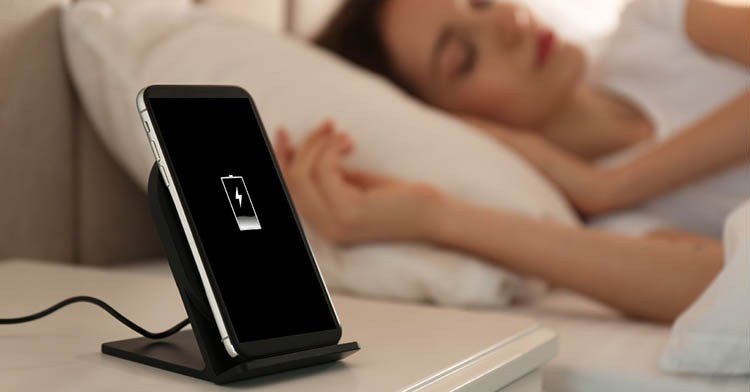
You go to bed with 60% battery and wake up to 35%. Nothing was running — or so you thought. When your phone battery drains fast overnight, something is quietly working while you sleep, and it’s usually one of a handful of culprits.
A healthy phone should lose only about 2–5% overnight. If you’re dropping 15–20% or more, that’s not normal aging — that’s a setting, an app, or a signal problem you can actually fix. Here’s how to track it down.
The short answer: overnight battery drain is usually caused by poor cellular signal (your phone boosts its radio searching for towers), background app refresh, location services left on, or an aging battery. Check your battery usage screen in the morning to see exactly which app or process ate the charge.
Why Does My Phone Battery Drain So Fast Overnight? The Usual Suspects
The number one overnight thief is a weak cellular signal. When your phone can’t hold a steady connection, its radio works overtime hunting for towers — and that burns battery fast. If your bedroom gets one bar or your phone keeps switching between 5G and LTE, that alone can explain a 15% drop. Try this test: charge to 100%, turn on airplane mode before bed, and check the morning. If the drain nearly disappears, signal was your problem.
Next up are the apps you’ve forgotten about. Social media, email set to push, navigation apps, and anything with live widgets keep waking your phone all night. On iPhone, go to Settings > Battery and look at the last 24 hours — it’ll show battery usage by app, including background activity. On Android, it’s Settings > Battery > Battery usage. The offender is usually obvious once you look.
Settings That Stop Overnight Drain
Start with the easy wins. Turn off Background App Refresh for apps that don’t need it (iPhone: Settings > General > Background App Refresh; Android: restrict background activity per app). Switch email from Push to Fetch every 30–60 minutes — you won’t notice the difference, but your battery will. And if you don’t need 5G overnight, dropping to LTE or turning on airplane mode with Wi-Fi enabled saves a surprising amount.
Location services are another silent drain. Very few apps need your location at 3 a.m. Set location permission to ‘While Using the App’ instead of ‘Always’ for everything except essentials like Find My. Also check for a runaway software update or a stuck sync — sometimes a failed iCloud or Google Photos backup loops all night. If your phone feels warm in the morning, something was definitely working hard.
- Airplane mode test: isolates whether signal or apps are the cause
- Background App Refresh: turn off for non-essential apps
- Email: switch Push to Fetch every 30–60 minutes
- Location: change ‘Always’ to ‘While Using the App’
- 5G: use LTE overnight or enable airplane mode + Wi-Fi
When It’s the Battery Itself, Not the Settings
If you’ve cleaned up settings and the drain continues, check battery health. On iPhone, Settings > Battery > Battery Health & Charging shows maximum capacity — anything under 80% means the battery is worn and Apple will recommend replacement. Android doesn’t have a universal health screen, but apps like AccuBattery can estimate it, and turning off background apps to save phone battery will only help so much when the chemistry itself is tired.
A phone that’s two to three years old with heavy use is a prime candidate. Battery replacement runs $70–$100 at Apple or independent shops — far cheaper than a new phone, and it’ll feel like you got a new device. Also note: extreme heat ages batteries fast. If your phone bakes on a sunny car dashboard regularly, that overnight drain might just be a battery that aged before its time.
The Overnight Routine That Actually Works
Here’s what I do now: plug in the phone, enable Do Not Disturb, and turn on airplane mode with Wi-Fi left on (calls and texts still come through over Wi-Fi calling, and everything syncs). I lose about 2% by morning. If you need cellular on for emergency calls, that’s fine — just make sure background refresh and location are trimmed down.
One more tip: use your phone’s optimized charging feature (iPhone’s ‘Optimized Charge Limit’ or Android’s ‘Adaptive Charging’). It holds the battery at 80% until just before your alarm, which keeps the battery healthier for years instead of sitting at 100% all night cooking itself slowly.
Why Does My Phone Battery Drain So Fast Overnight? The Hidden Culprits
Beyond the usual suspects, a few sneaky ones deserve attention. The always-on display (iPhone 14 Pro and newer, many Android flagships) sips power all night — turning it off or scheduling sleep focus to dim it saves a few percent. Widget stacks that refresh constantly, especially weather and news widgets, wake the phone far more than you’d guess. Try removing them for a night as an experiment.
Then there’s the stuck-sync scenario: a failed iCloud backup, a photo library that can’t finish uploading, or an app update that keeps retrying will grind away for hours. Check for a pending software update too — ironically, the update that fixes a battery bug can’t install because the battery bug keeps the phone too warm to install overnight. If drain started right after an update, give it 48 hours (indexing settles), then check forums — sometimes the fix is simply the next patch.
One more experiment worth running: charge to 100%, note the time, and check battery stats again after exactly one hour of idle. That gives you a drain-per-hour baseline. Anything over 2–3% per hour idle indicates an active problem rather than normal standby. Repeat the test after each settings change — it’s the only way to know which fix actually worked instead of guessing.
Related reading: how do I know if my phone has been hacked
The Bottom Line
Losing more than 5–10% overnight means something specific is wrong — usually signal, background apps, or battery age. Run the airplane-mode test, check your battery usage screen, trim background activity, and don’t ignore a battery health reading under 80%. Most overnight drain is fixable in about ten minutes of settings.
Sources: Apple’s guide to maximizing iPhone battery life · Google’s Android battery optimization tips






1 thought on “Why Your Phone Battery Dies Overnight (and How to Stop It)”