How Do I Fix a Wobbly Ceiling Fan
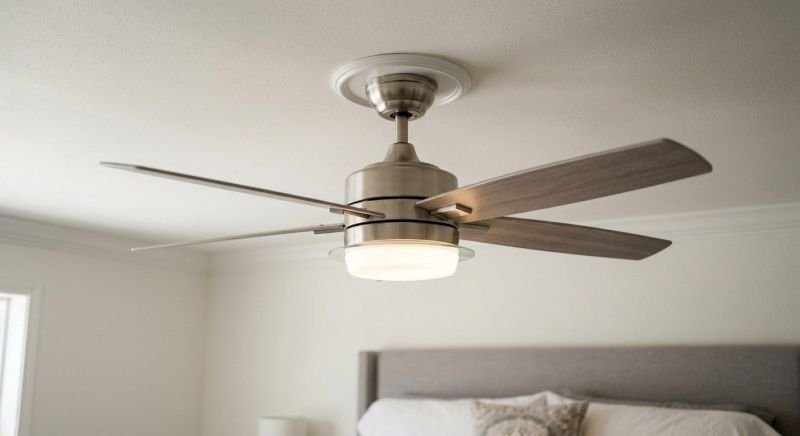
A wobbly ceiling fan is more than annoying — it’s a fan telling you something is wrong. The wobble means the fan’s weight isn’t balanced or its mounting isn’t secure, and an unaddressed wobble loosens the mounting over time, turning a minor issue into a genuine safety hazard. I’ve fixed wobbly fans in three different houses, and the cause was different every time: unbalanced blades, a loose mounting bracket, and once, a fan hung from a non-fan-rated box (the scary one).
Here’s how to diagnose and fix a wobbly ceiling fan, from the five-minute fixes to the “call someone” scenarios.
How Do I Fix a Wobbly Ceiling Fan?
Safety first: turn off the fan and let the blades stop completely before touching anything. For any work involving the mounting or wiring, turn off the power at the breaker. If the wobble is severe — the fan visibly shakes, makes grinding noises, or the whole mount moves — stop using it immediately until fixed. A falling ceiling fan is a serious injury risk.
Step 1: Diagnose the Wobble Type
Watch the fan running at different speeds and identify the pattern:
- Wobble increases with speed: usually a balance problem — blades at different weights or heights. Most common cause, easiest fix.
- Fan rocks as a unit (whole fan moves, blades look even): usually a mounting problem — loose bracket, loose downrod, or inadequate electrical box.
- Clicking or grinding sounds with wobble: possible mechanical issue — loose screws in the motor housing, blade irons, or a failing bearing.
- Sudden onset wobble (was fine, now isn’t): something came loose — check all fasteners. Or a blade got bent (kids, tall furniture, enthusiastic pillow fights).
Fix 1: Tighten Everything (Always First)
Before balancing, check every fastener: blade iron screws (where blades attach to the motor), blade-to-iron screws, downrod set screws, mounting bracket screws, and the canopy screws. Use a screwdriver, not just fingers — vibration loosens screws gradually, and the cumulative effect is wobble. Don’t overtighten blade screws into the motor housing — snug is enough; overtightening can crack blade irons or strip threads.
This alone fixes a large percentage of wobbles. Vibration is relentless — an annual tightening of all fan screws is good preventive maintenance for every ceiling fan you own.
Fix 2: Balance the Blades
If tightening doesn’t fix it, the blades are unbalanced. Most fans include a balancing kit (a clip and adhesive weights) — if yours is lost, kits cost $5–$10. The process:
- Check blade height: with the fan off, measure from the ceiling to the tip of each blade. They should be within 1/8 inch of each other. If one blade sits higher or lower, gently bend its blade iron (the metal bracket, not the blade itself) up or down to match. This fixes many wobbles immediately.
- Find the heavy blade: attach the balancing clip to the trailing edge of one blade, midway out. Run the fan and note the wobble. Move the clip to each blade in turn — the blade where the clip reduces wobble most is the heavy one (the clip adds weight opposite… actually, the clip on the heavy blade makes it worse; the blade where the clip improves things is the light one — add the permanent weight there). Kit instructions clarify this; follow them.
- Place the adhesive weight on top of the identified blade, centered where the clip was. Run the fan to verify. You may need to fine-tune the weight position slightly.
- Repeat if needed — some fans need two weights on different blades. Diminishing returns apply; if you’ve added three weights and it still wobbles badly, the problem is elsewhere.
Warped blades (from humidity or heat) can’t be balanced — they need replacement. Most manufacturers sell replacement blade sets ($20–$50); replace all blades, not just one, to keep weights matched.
Fix 3: Secure the Mounting
If the whole fan rocks as a unit: turn off the breaker, lower the canopy, and inspect the mounting bracket. Tighten all bracket-to-box screws. Check that the downrod ball sits properly in the bracket socket — if it’s not seated, the fan pivots and wobbles. Verify the downrod set screw (or pin) securing the rod to the motor is tight.
Critical check: is the electrical box fan-rated? Look for the marking “acceptable for fan support.” If the box is a standard light-fixture box — or worse, if there’s no box and the bracket is screwed to drywall — this is dangerous and must be fixed regardless of wobble. Install a retrofit fan brace ($20–$30) as described in our ceiling fan installation guide. A wobbling fan on an inadequate box will eventually pull free.
Fix 4: Address Downrod Issues
Long downrods amplify wobble — it’s simple physics; the longer the pendulum, the more any imbalance shows. If your fan is on a long downrod and wobbles slightly despite balancing, that’s somewhat normal — but excessive wobble still needs addressing. Ensure the downrod is the correct diameter for the fan (they’re standardized, but verify), the coupling cover is in place, and consider a shorter downrod if ceiling height allows (blades must stay 7+ feet off the floor).
For angled or vaulted ceilings, verify the fan uses the correct angled mount adapter — a standard mount on a slope creates lateral stress that manifests as wobble and premature wear.
When to Replace Instead of Repair
Consider replacement when: the motor bearings are failing (grinding noise that persists after tightening — bearings aren’t serviceable on most residential fans), the fan is 15+ years old with multiple issues (new fans are more efficient, quieter, and $100–$250), blades are warped beyond balancing and replacements aren’t available, or the mounting situation is fundamentally inadequate and can’t be fixed without opening the ceiling (sometimes a fresh install with proper bracing is cleaner than retrofitting).
A new DC-motor fan ($150–$300) is dramatically quieter and more efficient than old AC models — if you’re replacing anyway, the upgrade is worth it. See our energy-efficient upgrades guide for the efficiency angle.
Preventing Future Wobble
Annual maintenance: tighten all screws, dust the blades (dust accumulation unbalances them — clean blades are balanced blades), and check the mounting. Don’t hang things from fan blades (it seems obvious, but…). Run the fan regularly — fans that sit unused for months can develop flat spots in bearings. And when installing new fans, balance from day one rather than waiting for wobble to develop.
Practical Takeaway
Tighten every fastener first, check blade heights match within 1/8 inch, balance with the included kit if needed, verify the mounting bracket and fan-rated box are secure, and address downrod issues on long mounts. Most wobbles surrender to tightening and balancing in under an hour. But never ignore a severe wobble or a fan on an inadequate box — that’s not a maintenance issue, it’s a safety issue. Fix it properly or replace the fan. This Old House’s fan installation guides cover proper mounting hardware in detail.