How to Factory Reset Your Phone Before Selling It (Don’t Skip Steps)
Selling or trading in your phone? A proper factory reset protects your photos, messages, banking logins, and identity from whoever gets the device next. But ‘erase all’ alone isn’t enough — miss the account-removal steps and your phone can stay locked to you, bricking it for the buyer and tanking your sale price.
Here’s the complete process for iPhone and Android, in the right order. Do it the night before, not in the parking lot.
The short answer: back up everything first, sign out of iCloud/Google and disable Find My, remove SIM and memory cards, unpair accessories, then erase: iPhone via Settings > General > Transfer or Reset > Erase All Content and Settings; Android via Settings > System > Reset options > Erase all data.
Before You Erase: The Pre-Reset Checklist
Back up first — this is your last chance. Run a full backup (cloud and computer if possible) and verify it completed before touching the reset button. Then manually transfer authenticator codes and save anything backups miss. Once the phone is wiped, there’s no undo.
Next, sign out of everything: iCloud (Settings > your name > Sign Out) on iPhone — this disables Activation Lock, which is critical; a phone still locked to your Apple ID is worthless to a buyer. On Android, remove your Google account (Settings > Accounts) to disable Factory Reset Protection. Sign out of banking apps, Samsung/Huawei accounts, and any device-manager services. Remove the SIM card and any microSD card — people forget these constantly, and your phone number and photos ride along on them.
- Back up everything and verify the backup
- Transfer authenticator/2FA codes manually
- Sign out of iCloud/Google (disables Activation Lock/FRP)
- Remove SIM card and microSD card
- Unpair Apple Watch / Bluetooth accessories
- Remove the device from your Apple ID / Google account device list
How Do I Factory Reset My Phone Before Selling It? iPhone Steps
On iPhone: Settings > General > Transfer or Reset iPhone > Erase All Content and Settings. Enter your passcode, confirm, and let it run — it takes a few minutes. When it finishes, you’ll see the ‘Hello’ setup screen in multiple languages. That’s your confirmation: the phone is clean and ready for its next owner.
Double-check: the Hello screen should not ask for your Apple ID. If it does, Activation Lock is still on — sign in, go back, and sign out of iCloud properly, then erase again. Also remove the iPhone from your Apple ID device list (appleid.apple.com > Devices) for good measure. If you’re trading in to Apple or a carrier, they may want Find My off before they accept it — this process handles that.
Android Steps (Plus the Encryption Check)
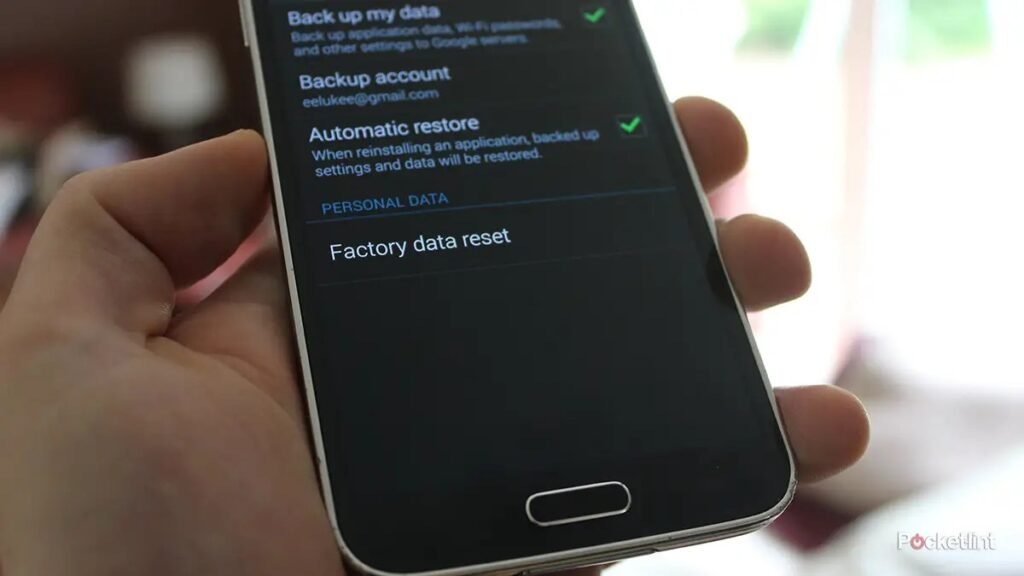
On most Android phones: Settings > System > Reset options > Erase all data (factory reset) > Erase all data. Samsung: Settings > General management > Reset > Factory data reset. Enter your PIN and confirm. The phone reboots, wipes, and lands on the welcome setup screen.
One extra step for older Androids (pre-2016, or any phone where you’re unsure): make sure encryption is on before erasing (Settings > Security > Encryption). Modern Android encrypts by default, which means a factory reset truly destroys the data — without encryption, a determined buyer could theoretically recover fragments with forensic tools. If your phone is encrypted (it almost certainly is), the standard reset is sufficient. After the reset, don’t sign back in — leave it on the welcome screen for the buyer.
Maximizing Your Sale Price
A clean, reset phone with the Hello/welcome screen sells faster and for more — buyers trust it. Include the original box and unused accessories if you have them; it signals care and adds $10–$20 in perceived value. Clean the phone thoroughly (microfiber cloth, clean the charging port gently) and take honest photos in good light, showing any scratches clearly — undisclosed flaws lead to returns and disputes.
Price against recently sold listings for your exact model and storage on Swappa or eBay, not asking prices. And time it decently: selling right before a new model launch (usually September for iPhones) gets you more than selling right after, when the market floods. A phone that’s been properly reset, cleaned, and honestly listed is the easiest $200–$500 you’ll make all year.
How Do I Factory Reset My Phone Before Selling It? Trade-In vs Private Sale
Where you sell changes the preparation slightly. Carrier and manufacturer trade-ins (Apple Trade In, Samsung, carrier deals) are the lowest-hassle: they often accept the phone as-is after your reset, and the value is locked in as credit. The trade-off is 10–20% less money than private sale. Do the reset exactly as described in this guide, remove all accounts, and you’re done — they handle the rest.
Private sale (Swappa, eBay, Facebook Marketplace) pays more but demands more: thorough cleaning, honest photos showing every scratch, the original box if you have it, and a fully reset phone on the Hello screen. Price against sold listings, not asking prices. Meet locally in public places for cash, or use platforms with seller protection for shipping — never accept overpayment ‘accidentally’ (the classic scam) and never ship before payment clears.
One more consideration: timing. Phone values drop fastest right after new models launch (September for iPhones, early year for Samsung). Selling in August versus October can mean a $50–$100 difference on recent models. If you’re upgrading anyway, the reset-and-sell process is identical — but the calendar affects your wallet.
Before listing, check your carrier’s trade-in promotions — they frequently offer inflated trade-in values ($400–$800 for recent models) that beat private-sale prices, especially during new phone launches. The catch is usually bill credits spread over 24–36 months rather than cash, which locks you to the carrier. Do the math on your situation: maximum cash almost always means private sale, maximum convenience means trade-in, and the promotional bill-credit deals win when the inflated value is high enough.
Related reading: how to back up your entire phone before selling it · what to look for when buying a used iPhone
The Bottom Line
Back up, sign out of iCloud/Google to kill Activation Lock, remove SIM and SD cards, then erase via Settings. Verify you land on the Hello/welcome screen with no account attached. A properly reset phone sells faster and for more — and your data stays yours. Never skip the sign-out step; it’s the difference between a sale and a brick.
Sources: Apple: erase your iPhone · Google: factory reset Android